
A Y HDMI cable splits one HDMI source into two outputs, but it won’t do what most people expect. These cables physically divide the signal without amplification or processing, meaning both displays must support identical resolutions and refresh rates, and even then, many devices will refuse to output through a passive split. The result is inconsistent performance, compatibility headaches, and frequent signal dropouts that make passive Y cables unsuitable for most dual-display setups.
The confusion around Y HDMI cables stems from a fundamental misunderstanding of how HDMI signals work. Unlike older analog connections that could be split with simple passive hardware, HDMI incorporates HDCP copy protection and requires two-way communication between source and display. When you connect a passive Y splitter, your source device attempts to negotiate with two displays simultaneously, often resulting in one or both screens going black. Even when a connection succeeds, you’re limited to mirroring the same content at the lowest common resolution between your displays.
Most scenarios that seem to call for a Y cable actually require an active HDMI splitter or switch. Gaming setups that need simultaneous output to a monitor and capture device, presentations requiring laptop content on multiple screens, and home theater configurations with multiple viewing zones all demand powered solutions with dedicated chipsets. Our comprehensive HDMI cable reviews cover the foundation, but understanding when and why to move beyond basic cables prevents costly mistakes.
This guide cuts through the marketing confusion to explain exactly what Y cables can and cannot accomplish, compares alternative solutions for common splitting scenarios, and provides clear recommendations based on actual use cases rather than theoretical specifications.
What Y HDMI Cables Actually Do (And Don’t Do)
A Y HDMI cable splits a single HDMI signal into two physical outputs through a simple cable junction. The name comes from its shape: one input connector branches into two output connectors, resembling the letter Y. However, this straightforward design masks significant functional limitations that catch many buyers off guard.
Passive Y Cables: Physical Splitting Without Amplification
A passive Y HDMI cable contains no electronics or power source. It physically divides the electrical signal from one source across two outputs. This works in theory, but the HDMI specification wasn’t designed for signal splitting. When you split an HDMI signal passively, you halve the signal strength going to each display. Both screens receive a weaker signal than intended, often resulting in no picture at all, flickering, or inconsistent handshaking between devices.
Passive Y cables occasionally work for very short cable runs between identical displays, but success isn’t guaranteed even in ideal conditions. The displays must negotiate with the source simultaneously, and if they have different capabilities (one 4K, one 1080p), the source typically defaults to the lowest common resolution or fails to output anything. HDCP content protection further complicates matters, as the source device may refuse to display protected content when it detects signal splitting.
Active HDMI Splitters: The Reliable Alternative
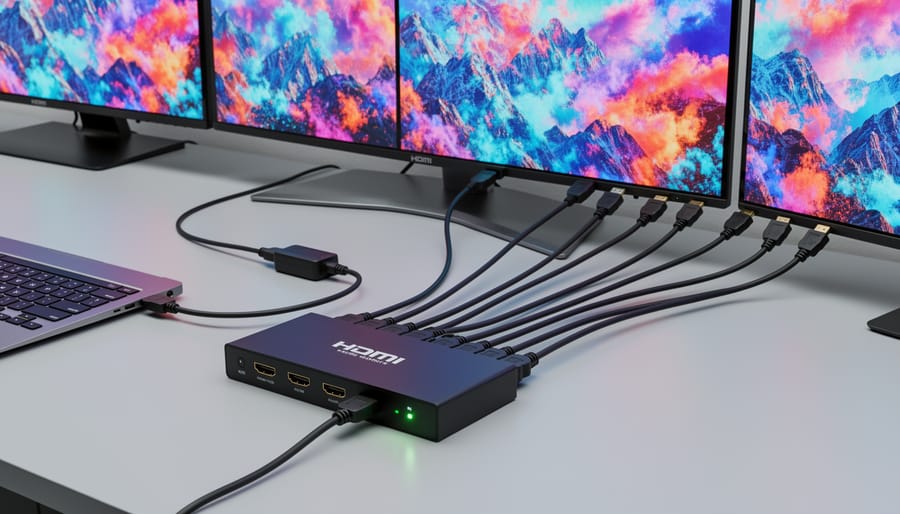
Active HDMI splitters are small powered devices (not simple cables) that receive one HDMI input and regenerate full-strength signals to two or more outputs. These units contain electronics that properly handle HDMI protocols, EDID management (how displays communicate their capabilities), and HDCP encryption. Each output receives a complete, amplified signal as if it were the only display connected.
While technically not Y cables, active splitters solve the problem most people think a Y cable will address. They cost more than passive cables but actually function as intended.
HDMI Combiners: The Opposite Function
Some products labeled as Y HDMI cables actually work in reverse, combining multiple sources into one display through manual or automatic switching. These aren’t true splitters and serve a completely different purpose. Always verify the signal direction before purchasing.
Key Factors When Choosing a Y HDMI Cable
Active vs. Passive: Understanding the Difference
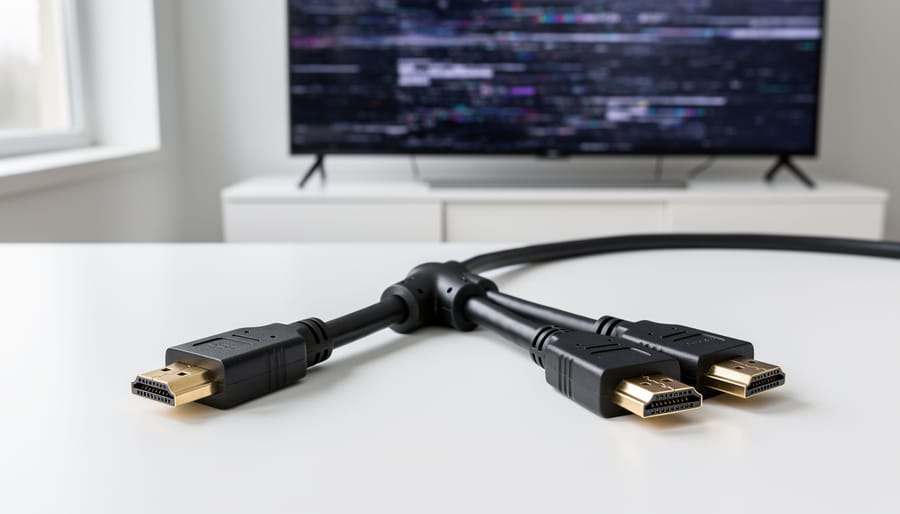
Passive Y HDMI cables are simple physical splitters with no electronics inside. They take one HDMI signal and fork it into two outputs through nothing but wiring. This works in theory, but reality is harsher: you’re dividing a single signal’s power between two displays, which often results in weak or unstable output. Most passive Y cables fail entirely with modern 4K content, and even when they do work, you’ll frequently encounter flickering, black screens, or displays that won’t wake from sleep. The HDMI standard wasn’t designed for passive splitting, so you’re fighting the specification itself.
Active HDMI splitters contain built-in circuitry and require external power (usually via USB or AC adapter). They don’t just split the signal, they regenerate and amplify it, creating two full-strength outputs from the original source. This solves the power problem and ensures each display receives a clean, stable signal. Active splitters cost more (typically $25-80 versus $10-15 for passive cables), but they actually work reliably with 4K, HDR, and protected content.
When is passive appropriate? Almost never with modern equipment. The only viable use case is mirroring two older 1080p displays over short distances (under 10 feet total) where both screens are already known to work with weak signals. For everything else, 4K content, HDR, distances beyond a few feet, or any scenario requiring reliability, active splitting is the only solution worth considering.
HDMI Version and Resolution Support
The HDMI version stamped on a Y cable determines what it can actually handle. HDMI 1.4 cables top out at 4K resolution at 30Hz, making them adequate for basic video distribution but frustratingly inadequate for gaming or high frame rate content. You’ll experience stuttering or outright compatibility failures if you try pushing 4K60 or HDR10 through a 1.4-rated Y cable.
HDMI 2.0 cables support 4K at 60Hz and handle HDR, which makes them the practical minimum for modern displays. They work reliably for most home theater splitting where you’re mirroring content to two 4K TVs. However, 2.0 maxes out at 18Gbps bandwidth, so you can’t pass through high refresh rate signals like 1440p at 144Hz without quality loss.
HDMI 2.1 cables raise bandwidth to 48Gbps, supporting 4K at 120Hz, 8K video, and variable refresh rates. If your source device and displays are 2.1-capable, using a lower-spec Y cable creates an immediate bottleneck. The entire chain degrades to the weakest link’s capabilities, regardless of how capable your GPU or TV might be.
Before you choose the right HDMI solution, verify both your source output specs and your displays’ input requirements. Mismatched versions force automatic downscaling, often without clear error messages, leaving you troubleshooting phantom quality issues.
Display Mirroring vs. Extended Desktop
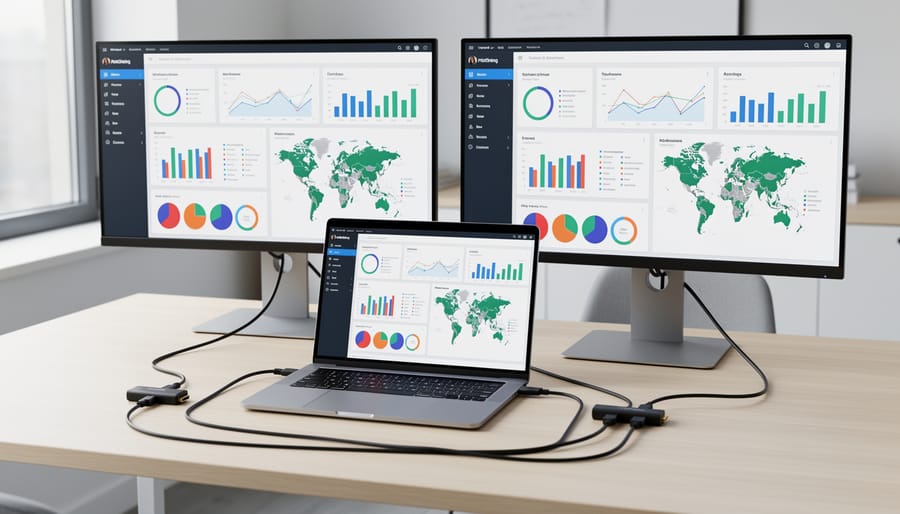
Y HDMI cables fundamentally mirror your display, they send identical signals to both connected screens. This means both monitors show exactly the same content at the same resolution and refresh rate. You cannot drag windows between displays or use them as separate workspaces.
Extended desktop functionality, where each monitor acts as independent screen space, requires your computer’s graphics card to output distinct signals to different displays. A Y cable cannot create this separation because it’s simply splitting one signal into two identical copies at the hardware level.
If you need extended desktop capability, connect each monitor directly to separate ports on your graphics card (HDMI, DisplayPort, DVI, etc.). Modern GPUs support multiple independent displays without additional hardware.
Some users mistakenly buy Y cables hoping to expand their workspace, only to discover both screens duplicating the same image. This limitation exists regardless of whether you use passive or active Y cables, the splitting happens after the signal leaves your computer as a single output, so the hardware cannot differentiate between displays for extended desktop purposes.
Signal Degradation and Distance
When you split an HDMI signal using a Y cable, you’re dividing the electrical power and signal strength between two outputs. This inherent division weakens the signal to each display, making cable length a critical factor in whether your setup will work reliably.
With passive Y cables, degradation starts immediately. Each additional meter of cable distance compounds the problem. Most passive splitters fail beyond 3-5 meters total cable length (combined from source to Y cable to displays). You’ll first notice issues as occasional screen flickering, intermittent blackouts, or displays cycling between connected and disconnected states. At longer distances or higher resolutions, displays may not detect a signal at all.
The problem intensifies dramatically with 4K content or high refresh rates, which require significantly more bandwidth than 1080p signals. A passive Y cable that works fine for 1080p at 60Hz may completely fail with 4K HDR content over the same distance.
Signal boosting becomes necessary when your total cable run exceeds 5 meters or when you’re working with 4K and above. Active HDMI splitters include built-in amplification that regenerates the signal strength, supporting cable runs up to 15 meters or more per output while maintaining full resolution and color depth.
HDCP Compatibility
HDCP (High-bandwidth Digital Content Protection) is a copy-protection protocol built into HDMI that verifies each device in the signal chain is authorized to receive protected content. When you introduce a Y HDMI cable into your setup, you’re adding complexity that can trigger HDCP handshake failures.
The problem occurs because HDCP requires authentication between your source device and every connected display. With a Y cable splitting the signal to multiple screens, each display must successfully complete the HDCP handshake. If even one display doesn’t support the required HDCP version or fails authentication, the entire chain breaks down. You’ll see blank screens, intermittent blackouts, or error messages, even though your cables and displays are physically connected correctly.
Passive Y cables are particularly prone to these issues since they can’t actively manage the authentication process. Streaming services, Blu-ray players, and gaming consoles with DRM-protected content are most affected. Active HDMI splitters typically handle HDCP negotiation more reliably, though compatibility still isn’t guaranteed with all display combinations.
Types of Y HDMI Solutions Compared
Passive Y HDMI Cables
Passive Y HDMI cables are the simplest and most affordable splitting option, essentially a single HDMI input that branches into two outputs through physical wire splitting alone. These cables contain no amplification circuitry or power source, relying entirely on the signal strength from your source device to reach both connected displays.
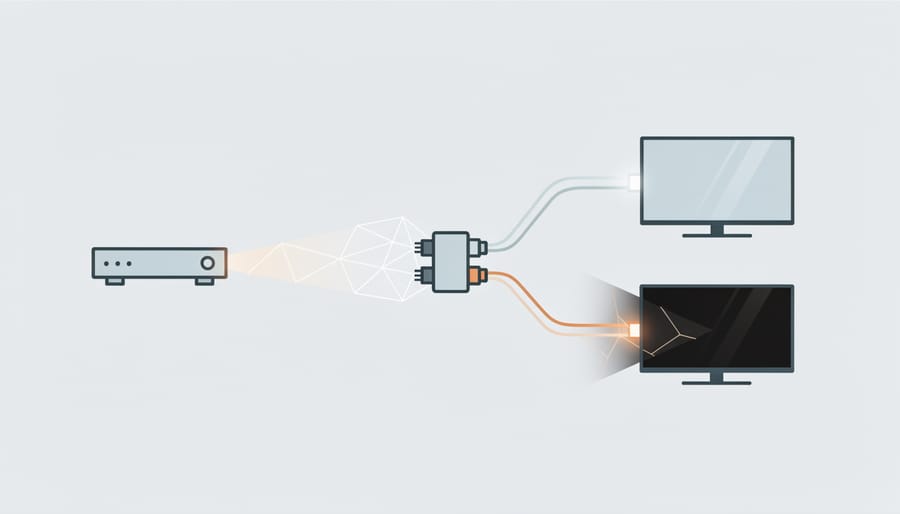
The fundamental limitation is signal degradation. When you split an HDMI signal passively, you’re dividing the electrical power between two outputs, which weakens both signals. This often results in unreliable connections, flickering screens, or complete signal failure, particularly with 4K content or longer cable runs.
Passive Y cables only work reliably in very specific scenarios: short distances (under 6 feet total), lower resolutions (1080p or below), and when your source device has exceptionally strong HDMI output. Even then, you’re limited to mirrored displays showing identical content.
For most modern applications involving 4K displays, HDR content, or any form of content protection, passive Y cables simply won’t function. The HDCP handshake process fails when signal strength drops below threshold levels, leaving you with blank screens despite proper physical connections.
Active HDMI Splitters
Active HDMI splitters solve the fundamental problems that plague passive Y cables. These powered devices take a single HDMI input, amplify the signal, and distribute it to multiple outputs, typically two, four, or eight displays. Unlike simple Y cables that divide an already finite signal, active splitters regenerate the full bandwidth for each connected display, maintaining image quality and preventing the signal degradation that passive solutions introduce.
The power source (usually an AC adapter or USB connection) enables the splitter’s internal chipset to handle HDCP authentication across all outputs, process EDID information from multiple displays, and boost signal strength for longer cable runs. This makes them reliable for presentations, digital signage, and home theater setups where consistent performance matters.
Most active splitters support at least HDMI 2.0 specifications, handling 4K at 60Hz with HDR on all outputs simultaneously. Higher-end models with HDMI 2.1 chipsets can distribute 4K at 120Hz, which matters for gaming scenarios, though serious gamers seeking independent screens should still consider GPU-based solutions like the best HDMI for gaming paired with native multi-display support rather than mirrored splitting.
HDMI Switches (Reverse Function)
Many people searching for Y HDMI cables actually need the opposite functionality: connecting multiple HDMI sources to a single display. If you want to switch between your gaming console, Blu-ray player, and streaming device on one TV, an HDMI switch is the proper solution.
HDMI switches work in reverse compared to splitters. They take multiple HDMI inputs and route one selected source to a single output display. You manually select which device feeds the display, either through a button on the switch itself or via remote control.
This addresses a common confusion point. A Y cable or splitter sends one source to multiple displays. A switch consolidates multiple sources into one display. If you’re running out of HDMI ports on your TV or monitor, you need a switch, not a Y cable. Quality switches maintain full signal integrity and support modern HDMI standards without degradation.
HDMI Matrix Switchers
HDMI matrix switchers represent the most versatile, though also most expensive, solution when you need to route multiple HDMI sources to multiple displays simultaneously. Unlike simple Y cables or basic splitters that distribute one source to several screens, a matrix switcher lets you connect, say, four input devices to four displays and independently control which source appears on each screen. You might send your Blu-ray player to the living room TV while routing your game console to the basement display.
These units always include active amplification and support independent display control, making them ideal for home theaters, commercial installations, or complex AV setups where different rooms need access to different content sources. Prices typically start around $150 for 2×2 configurations (two sources, two displays) and scale up based on port count and supported resolutions. While overkill for simple mirroring needs, matrix switchers eliminate the need for multiple separate devices when your setup involves both switching between sources and distributing signals to various displays throughout a space.
Recommended Y HDMI Cable Scenarios and Solutions
Basic Mirroring for Presentations
For basic conference room presentations where you’re simply duplicating a laptop screen to a projector and monitor, a passive Y HDMI cable can work, but only under specific conditions. If both displays are within 6-10 feet of your source, support identical resolutions (typically 1080p), and you’re not streaming protected content, a passive cable may handle the job.
However, passive cables frequently cause frustrating handshake delays, flickering, or outright failure when one display has different capabilities than the other. The moment you introduce 4K content, HDR, or displays with mismatched refresh rates, passive splitting becomes unreliable.
For any professional presentation environment, an active HDMI splitter is worth the modest investment. These powered units eliminate signal degradation, ensure reliable connections every time, and handle mixed display capabilities without the “will it work today?” anxiety. They typically cost $30-60 but save countless minutes of troubleshooting before important meetings.
If you present regularly or work with modern 4K equipment, skip the passive gamble entirely.
Gaming and Multi-Monitor Setups
Y HDMI cables are a poor choice for gaming on multiple monitors because they only mirror the same image to each display, you cannot extend your desktop or run different game windows across screens. Even if a passive Y cable physically connects two monitors, your graphics card still sees them as a single display, defeating the purpose of a multi-monitor gaming setup. Active HDMI splitters face the same limitation; they simply duplicate the signal rather than creating independent display outputs.
For genuine multi-monitor gaming, connect each display directly to separate ports on your graphics card (HDMI, DisplayPort, or DVI). Modern GPUs support multiple independent outputs, allowing you to extend your desktop, run different applications per screen, or configure surround gaming across all monitors. This direct connection approach will avoid video quality loss and input lag that signal splitting introduces. If your graphics card lacks enough physical ports, consider a DisplayPort MST hub, which enables daisy-chaining multiple monitors from a single DisplayPort output while maintaining independent display functionality, something Y cables simply cannot provide.
Home Theater Distribution
Distributing a single HDMI source to multiple TVs across different rooms demands active splitting solutions rather than passive Y cables. A powered HDMI splitter maintains signal integrity over the longer cable runs typically required for whole-home distribution, preventing the picture degradation and handshake failures common with unpowered alternatives.
For home theater setups, look for active splitters supporting HDMI 2.0 or 2.1 to handle 4K HDR content without compromise. Most quality units feature built-in signal amplification that compensates for distance, though you’ll still want to keep individual runs under 25 feet when possible. Beyond that length, consider adding HDMI extenders or switching to fiber optic HDMI cables.
Budget at least $50, $150 for a reliable 1-to-2 or 1-to-4 active splitter. Cheap models often struggle with HDCP handshakes when distributing protected content from streaming devices or Blu-ray players. The investment ensures every TV receives a stable, full-quality signal rather than dealing with intermittent blackouts or resolution drops that plague bargain-basement solutions.
Common Mistakes to Avoid When Buying Y HDMI Cables
Assuming All Y Cables Support Extended Desktop
One of the most common misconceptions is that connecting two monitors via a Y HDMI cable will give you extended desktop functionality, where each screen shows different content and you can drag windows between them. It won’t. Y cables and basic HDMI splitters only mirror your display, showing identical content on both screens.
Extended desktop requires your graphics card to recognize and address each display as a separate output. When you use a Y cable, your GPU sees only one display because the signal is physically split after leaving the port. To achieve true extended desktop, you need either separate video outputs from your computer (HDMI, DisplayPort, USB-C) or specialized hardware like a docking station with its own graphics processing. If your work demands independent displays for multitasking, a Y cable is fundamentally the wrong tool.
Ignoring HDMI Version Requirements
One of the biggest traps when buying Y HDMI cables is grabbing an older HDMI 1.4 cable to save a few dollars. That version caps out at 4K 30Hz or 1080p 120Hz, fine for basic mirroring, but it’ll choke on 4K 60Hz content or HDR passthrough. If your source device and displays support HDMI 2.0 or 2.1 features, an outdated cable becomes an instant bottleneck. You’ll see black screens during handshakes, forced resolution downgrades, or choppy playback when the cable can’t handle the bandwidth. Match the cable version to your lowest common denominator display, but aim for HDMI 2.0 minimum in 2026 to avoid compatibility headaches with modern content.
Overlooking Power Requirements
Many users assume any Y HDMI cable will work if it physically fits their ports, but passive cables can’t amplify or properly distribute signals to multiple displays. If your screens flicker, display “no signal,” or show degraded picture quality, you likely need an active splitter with external power. Passive Y cables only work reliably in very specific, limited scenarios, typically low-resolution content over short distances to identical displays. For 4K content, HDR, or distances beyond a few feet, powered solutions aren’t optional extras; they’re requirements. Trying to force a passive cable into demanding applications wastes money and guarantees frustration.
Buying Based on Price Alone
The lowest-priced Y HDMI cables frequently use substandard components, thin conductors, poor shielding, and inadequate soldering, that lead to intermittent signals, resolution drops, or complete failure. These cables often lack proper circuitry for signal distribution, meaning they may physically connect but never transmit a usable picture to both displays. Spending slightly more on a reputable brand with verified reviews typically prevents these issues. When quality matters, apply the same scrutiny you’d use to pick a splitter for audio applications, build quality and component specifications directly determine reliability.
What to Look For
When shopping for a Y HDMI cable or splitter, prioritize power source first. If your setup involves 4K, HDR, or distances beyond six feet, skip passive cables entirely and choose an active splitter with dedicated power. Check the HDMI version explicitly, 2.0 minimum for 4K at 60Hz, 2.1 for gaming at 120Hz or 8K content.
Verify splitter compatibility with your source and displays, particularly HDCP versions. A 2.2-compliant splitter prevents handshake failures with protected streaming content. Look for specifications listing exact resolution and refresh rate support rather than vague “4K ready” marketing.
Consider build quality markers: gold-plated connectors, strain relief at cable junctions, and braided shielding reduce signal interference. For active splitters, read reviews confirming reliable EDID management, cheap units often struggle with display detection, causing flickering or blank screens. Budget matters, but reliable HDMI distribution starts around forty dollars for quality active units; anything under fifteen dollars is almost certainly passive and limited.
Frequently Asked Questions About Y HDMI Cables
Can a simple Y HDMI cable really work as a splitter, or do you need something more sophisticated? After years of reviewing HDMI solutions and troubleshooting failed setups, I’ve found that most confusion about Y cables stems from unrealistic expectations about what these devices can actually deliver. The questions below address the most common misconceptions and technical concerns that determine whether a Y cable will work for your specific situation.
Can a Y HDMI cable extend my desktop across two monitors?
No, Y HDMI cables only mirror (duplicate) the same content to multiple displays. Extended desktop functionality requires your graphics card to output separate signals to different ports, not a physical cable split.
Will using a Y HDMI cable reduce my video quality?
Passive Y cables split the signal without amplification, which often causes resolution drops, handshake failures, or complete signal loss, especially at 4K or over longer distances. Active powered splitters maintain quality by amplifying the signal before distribution.
Do I need a powered HDMI splitter or will a passive Y cable work?
For reliable performance with modern 4K content, you need a powered active splitter. Passive Y cables only work consistently in limited scenarios with short cable runs, 1080p resolution, and displays that have identical EDID information.
Can I use a Y HDMI cable to connect two sources (like a PS5 and Xbox) to one TV?
No, Y cables do not work in reverse to combine multiple sources into one display. You need an HDMI switch, which allows you to select which input source appears on your TV.
Another question that comes up frequently concerns HDCP compatibility. When you split an HDMI signal, both displays must successfully complete the HDCP handshake with the source device. If one display is HDCP 2.2 compliant and the other is only HDCP 1.4, you’ll likely encounter errors when trying to play protected content like Netflix or Blu-ray discs. Active splitters with EDID management can sometimes work around these mismatches, but passive Y cables cannot.
The length limitation surprises many buyers. A passive Y cable that works fine with two displays placed three feet from your laptop may completely fail when you extend one display across the room with a longer cable. The signal degradation from splitting compounds with distance-related attenuation, creating a situation where neither display receives adequate signal strength. If your total cable run (from source through the Y split to the farthest display) exceeds about 15 feet, plan on needing active amplification rather than hoping a cheap passive cable will suffice.
Choosing the right Y HDMI cable, or determining you need something different entirely, comes down to honestly assessing what you’re trying to accomplish. If you need basic mirroring with short cable runs and aren’t concerned about 4K or HDR, a passive Y cable might work. But for most modern applications involving high-resolution content, protected media, or reliable performance across multiple displays, an active HDMI splitter is the solution that actually delivers.
The fundamental limitation isn’t about cable quality or brand. It’s that passive Y cables simply divide an existing signal without amplification, which creates inherent problems with handshaking, resolution support, and content protection. Spending slightly more on a powered splitter eliminates these frustrations and provides the flexibility to upgrade your displays or sources without replacing your distribution hardware.
Before you buy anything, map out your specific scenario: What resolution and refresh rate do you need? Are both displays identical? Will you watch protected content like streaming services or Blu-rays? How far does the signal need to travel? These questions determine whether a fifteen-dollar passive cable will work or whether you need a forty-dollar active splitter to avoid constant troubleshooting.
The right solution isn’t always the cheapest cable that physically fits the ports. It’s the one that matches your actual requirements and works reliably every time you turn on your devices. Understanding the difference between passive splitting and active distribution is what separates a successful setup from an expensive mistake.