
Verify your audio device outputs 3.5mm TRS or TRRS before purchasing any splitter—mismatched connector types cause complete audio failure or mono output when you expected stereo. Check the splitter’s input configuration against your source: smartphones with combined headphone/microphone jacks require TRRS splitters, while laptops with separate ports need standard TRS models.
Examine the conductor material and cable gauge specifications directly on product listings. Gold-plated connectors resist oxidation that degrades signal quality over months of use, while copper conductors with 24-26 AWG thickness maintain audio fidelity better than thin aluminum alternatives that introduce noise and channel imbalance.
Match splitter impedance ratings to your use case requirements. Passive splitters without amplification reduce volume by approximately 50% when connecting two headphones—acceptable for casual listening but problematic for professional monitoring. Active splitters with built-in amplification maintain consistent volume levels across all outputs but require battery or USB power sources.
Consider cable length and build quality for your specific environment. Desktop setups tolerate bulkier Y-splitters with strain relief boots that prevent connection failures, while portable users need compact, flexible cables under 6 inches that withstand repeated bending. Avoid splitters with molded housings you cannot inspect internally—these hide poor solder joints that fail within weeks of regular use.
Test return policies before committing to any purchase, as compatibility issues often emerge only during actual use with your specific device combination.
Understanding Jack Audio Splitter Basics
A jack audio splitter is a simple yet essential device that divides a single audio signal into multiple outputs, allowing you to connect several headphones or speakers to one audio source. At its core, the splitter contains internal wiring that duplicates the electrical audio signal from the input jack to two or more output jacks, maintaining the same signal across all connections.
The mechanism behind audio splitting is straightforward: when you plug a splitter into your device’s headphone jack, it creates parallel circuit paths. The audio signal travels simultaneously through each branch, delivering identical sound to all connected outputs. However, this process introduces an important electrical consideration—impedance loading.
When multiple devices draw power from the same source, they collectively increase the load on your audio output. This is where understanding passive versus active splitters becomes critical. Passive splitters contain no electronic components or power source; they simply route the signal mechanically through internal conductors. While cost-effective and reliable, passive splitters divide the available power among all outputs, potentially reducing volume levels and audio quality when multiple high-impedance headphones are connected.
Active splitters, conversely, incorporate built-in amplification circuitry powered by batteries or USB connections. These devices boost the audio signal before splitting, ensuring each output receives adequate power regardless of how many devices you connect. This prevents the common volume drop issue and maintains consistent audio quality across all outputs.
A frequent misconception is that splitters degrade audio quality inherently. In reality, a well-constructed passive splitter causes minimal signal degradation when used within its design limitations—typically two to three outputs with standard consumer headphones. Quality degradation usually stems from impedance mismatches or attempting to power too many devices simultaneously without amplification.
Understanding these fundamentals helps you select the appropriate splitter type for your specific needs, whether sharing audio during flights, collaborative music production, or home entertainment setups.
Jack Types and Connector Compatibility
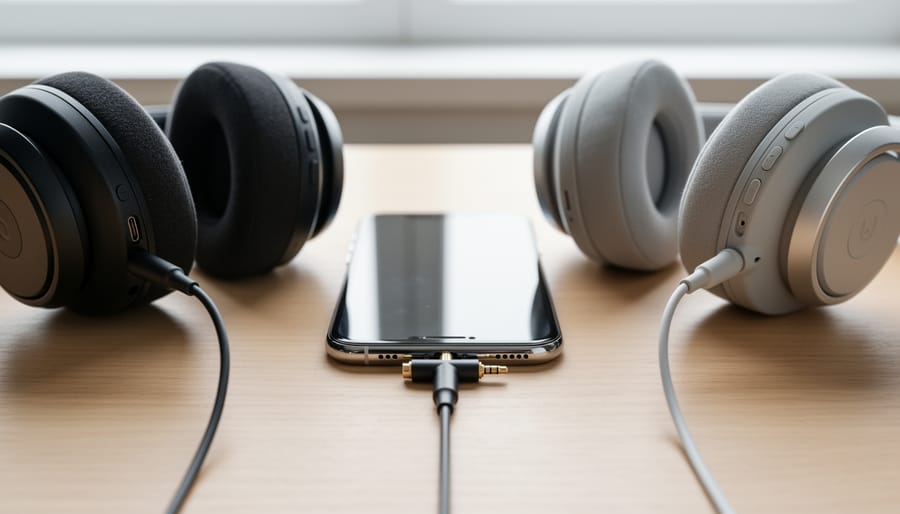
Understanding jack types and connector compatibility is fundamental to selecting the right audio splitter and avoiding frustrating connection problems. The physical size and internal wiring configuration of audio jacks determine what devices can connect and what functionality you’ll retain.
The most common jack size is 3.5mm, sometimes called 1/8-inch or mini-jack, found on smartphones, laptops, tablets, gaming headsets, and portable speakers. Professional audio equipment, electric guitars, and high-end headphones typically use 6.35mm jacks, also known as quarter-inch connectors. While adapters exist to convert between these sizes, using the correct native connection reduces potential signal degradation and mechanical wear.
Beyond physical size, the number of contact points on a jack determines its capabilities. TS (Tip-Sleeve) connectors have two contact points and carry mono audio signals, commonly found on instrument cables. TRS (Tip-Ring-Sleeve) connectors feature three contact points and typically handle stereo audio with separate left and right channels. TRRS (Tip-Ring-Ring-Sleeve) connectors add a fourth contact point to accommodate both stereo audio and microphone input, standard on modern smartphone headsets and gaming headphones.
| Jack Type | Common Devices | Audio Channels | Microphone Support |
|---|---|---|---|
| 3.5mm TRS | Laptops, MP3 players, speakers | Stereo (L/R) | No |
| 3.5mm TRRS | Smartphones, gaming headsets | Stereo (L/R) | Yes |
| 6.35mm TRS | Studio headphones, mixers | Stereo (L/R) | No |
| 6.35mm TS | Guitars, synthesizers | Mono | No |
The most prevalent compatibility issue occurs when splitting TRRS connections. Not all splitters preserve microphone functionality, and even those designed for TRRS may fail with certain devices due to different pin assignments. Apple and most Android manufacturers use the CTIA standard, while older devices occasionally use the incompatible OMTP standard, causing microphones to malfunction or produce distorted audio.
When purchasing a splitter, verify it matches both the physical jack size and the contact configuration of your devices. A TRS splitter won’t properly handle TRRS headsets with microphones, even if the connector physically fits. Check product specifications explicitly stating TRRS compatibility if you need microphone support across split connections.
When You Actually Need an Active vs Passive Splitter
Choosing between active and passive splitters depends primarily on three factors: your cable length, the number of devices you’re connecting, and your source’s output strength.
Passive splitters work perfectly for simple splitting scenarios. If you’re connecting two devices with cables under 6 feet total length, a passive splitter handles the job without complications. They’re ideal for splitting audio between two headphones at a desk, connecting speakers in close proximity, or routing a smartphone’s audio to nearby devices. Since passive splitters require no power source, they’re inherently portable and maintenance-free. However, they do reduce signal strength by dividing it equally among outputs, which becomes noticeable with longer cables or multiple splits.
Active splitters become necessary when you’re pushing beyond basic configurations. Consider an active splitter when your total cable runs exceed 10 feet, when you’re splitting to three or more devices, or when you notice volume drops and quality degradation with a passive unit. Recording scenarios particularly benefit from active splitting, as they maintain consistent signal levels across multiple monitoring stations. The built-in amplification compensates for the signal division, ensuring each output receives a full-strength signal.
Power requirements differ significantly between these options. Active splitters need either battery power or USB/wall adapter connections, adding a dependency that passive splitters don’t have. Evaluate whether you have accessible power sources where you’ll use the splitter. Battery-powered active splitters offer portability but require periodic replacements or recharging.
Signal quality expectations also guide your decision. Audiophiles and professionals recording or monitoring audio should default to active splitters, which provide cleaner amplification and better impedance matching. Casual listeners splitting audio for convenience can typically rely on passive splitters without perceiving quality differences, especially with efficient modern headphones.
Budget considerations matter too. Passive splitters cost between $5-15 for quality units, while active splitters range from $20-100 depending on features. The price difference reflects the built-in amplification circuitry and power management systems that active models require.
Critical Build Quality Factors
The difference between a splitter that lasts years and one that fails within months often comes down to construction quality rather than price alone. Understanding what separates reliable models from disposable ones helps you avoid repeat purchases and intermittent connection problems.
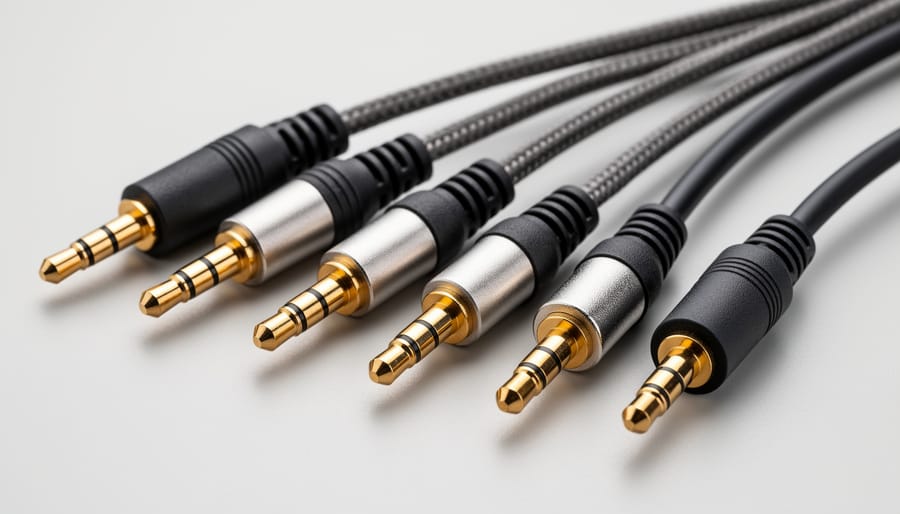
Cable strain relief represents the most critical failure point in audio splitters. The junction where cables meet the housing experiences constant flexing and pulling during normal use. Quality splitters incorporate molded strain relief boots that gradually transition from rigid housing to flexible cable, distributing mechanical stress across a larger area. Cheaper models skip this entirely or use minimal heat-shrink tubing that provides no actual support. Without proper strain relief, internal wire connections break from repeated movement, causing one channel to cut out or introducing crackling noises.
Connector plating directly impacts both durability and signal integrity. Gold-plated connectors resist oxidation and maintain consistent electrical contact over hundreds of insertion cycles. While manufacturers often oversell gold plating as a feature, the practical benefit matters for splitters used frequently or in humid environments. Nickel-plated connectors work adequately for stationary installations but degrade faster with regular plugging and unplugging. Bare metal connectors, found on budget models, corrode quickly and should be avoided entirely.
Shielding quality determines how well a splitter rejects electromagnetic interference from nearby devices. Properly shielded splitters use braided copper or aluminum foil wrapping around internal conductors. You cannot easily verify shielding without cutting open a splitter, but heavier weight relative to size often indicates better shielding. Models that feel unusually lightweight typically sacrifice shielding to reduce manufacturing costs, making them prone to picking up noise from smartphones, power adapters, and other electronic devices.
Housing construction affects both mechanical protection and heat dissipation. Metal housings provide superior durability and EMI shielding compared to plastic, though quality injection-molded plastic performs adequately for most applications. The housing should feel solid without flex when squeezed gently. Seams should align cleanly without visible gaps where the housing halves meet, as poor assembly tolerances indicate overall manufacturing compromises.
Pay attention to cable gauge and flexibility. Thicker cables with appropriate flexibility indicate proper conductor sizing and quality insulation. Excessively stiff cables suggest cheap insulation materials that will crack over time, while cables that feel too thin may use undersized conductors that increase resistance and degrade audio quality.
Common Use Cases and Optimal Solutions
Understanding which audio splitter matches your specific needs prevents compatibility headaches and ensures optimal performance. Different scenarios demand distinct technical solutions, and selecting the wrong type often leads to frustration or failed functionality.
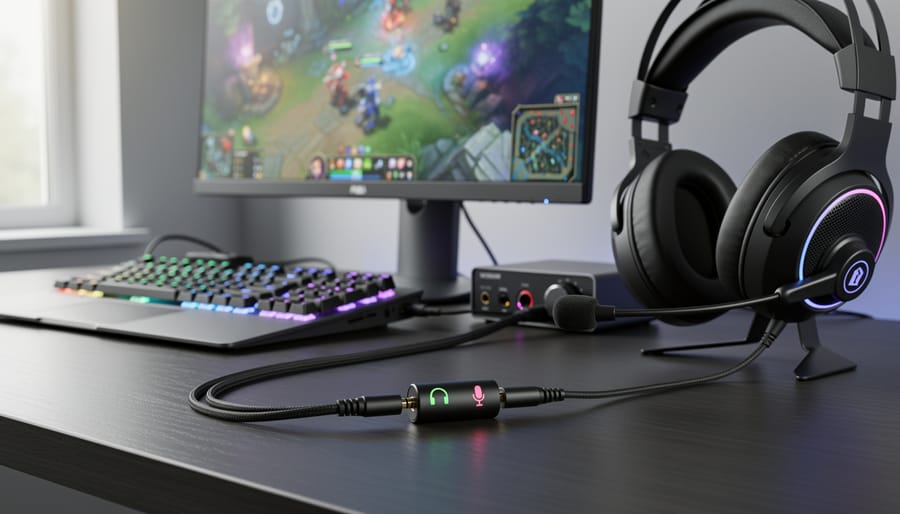
For gaming setups with separate microphone and audio jacks, you need a TRRS (4-pole) splitter that divides a single combined port into two distinct 3.5mm outputs. Many modern gaming headsets feature separate 3.5mm plugs for the microphone and speakers, but laptops typically provide only one combo jack. A quality TRRS splitter converts that single port into dedicated headphone and microphone connections. Look for models explicitly labeled as supporting both audio output and microphone input, as generic splitters often fail to properly route the microphone signal.
| Use Case | Recommended Splitter Type | Key Features Needed | Common Pitfalls |
|---|---|---|---|
| Gaming headsets with separate jacks | TRRS to dual TRS splitter | 4-pole support, clear mic/audio labeling | Using TRS splitter instead; reversed connections |
| Sharing audio between two headphones | TRS Y-splitter | Impedance matching, volume control optional | Underpowered output causing low volume |
| Professional monitoring | Active/powered splitter | Individual volume controls, impedance buffer | Using passive splitter causing signal degradation |
| Recording interfaces | Balanced TRS or insert cable | Shielding, gold-plated contacts, proper gauge wire | Using unbalanced cables introducing noise |
When sharing audio between two headphones for casual listening, a simple passive TRS Y-splitter suffices. However, remember that splitting the signal reduces the power delivered to each headphone, potentially decreasing volume levels. This works adequately with powered sources like smartphones or computers but may produce insufficient volume with low-impedance headphones or weaker audio sources.
Professional audio monitoring requires active splitters with built-in amplification. Studio environments demand consistent signal strength across multiple monitoring points without degradation. Active splitters maintain proper impedance matching and prevent one listener’s volume adjustments from affecting another’s output. These units typically feature individual level controls and higher-quality components that preserve audio fidelity.
Recording setups benefit from insert cables or balanced splitters that maintain signal integrity over longer cable runs. These specialized splitters accommodate line-level signals and provide proper shielding against electromagnetic interference. When connecting recording equipment, verify that your splitter matches the balanced or unbalanced nature of your gear to prevent ground loops or unwanted noise injection into your recordings.
Signal Quality and Audio Performance Considerations
When you connect a passive audio splitter—a device with no amplification circuitry—you’re essentially creating parallel electrical paths that inevitably affect your signal. Understanding these effects helps you make informed purchasing decisions and set realistic expectations.
The most immediate impact is volume reduction. A passive splitter divides the electrical current from your source device between multiple outputs, typically resulting in a 3-6 dB drop per output. While this might seem concerning, modern smartphones and computers usually have sufficient headroom to compensate by increasing volume settings. However, if you’re already running your source at maximum volume, a splitter will noticeably reduce loudness.
Impedance matching plays a crucial role in performance. When you connect low-impedance headphones (16-32 ohms) to a splitter, they draw more current than high-impedance models (250+ ohms), potentially starving other connected devices of power. This explains why one pair of headphones might sound fine while another pair connected simultaneously sounds thin or quiet. Quality splitters use appropriate conductor gauging and contact materials to minimize these impedance-related issues.
Crosstalk—signal bleeding between channels—becomes measurable in poorly designed splitters. You’ll notice this as a slight loss of stereo separation or imaging precision. Decent splitters maintain crosstalk below -60 dB, which is essentially inaudible. Check specifications or user reviews mentioning “stereo separation” if you’re particular about soundstage accuracy.
Frequency response degradation typically manifests as high-frequency rolloff, though this rarely exceeds 1-2 dB above 15 kHz in quality units—well beyond most people’s hearing threshold. Budget splitters using thin conductors or poor solder joints may introduce more noticeable dulling.
The noise floor addition is minimal in passive splitters since they contain no active electronics. Any introduced noise usually stems from physical connection quality rather than the splitter itself.
For casual listening, these technical considerations matter little. Critical listeners using studio monitors or audiophile headphones should prioritize splitters with gold-plated contacts, proper shielding, and robust construction. Gaming and communication users should focus on impedance compatibility with their specific headset models rather than obsessing over marginal frequency response variations.
Red Flags to Avoid When Shopping
Navigating the market for audio splitters requires a discerning eye, as several warning signs can indicate products that will underperform or fail prematurely. Understanding these red flags helps you avoid common pitfalls that lead to buyer’s remorse.
One of the most prevalent issues involves manufacturers making broad compatibility claims without providing technical specifications. If a product description states “works with all devices” but doesn’t specify impedance ratings, connector types, or signal specifications, proceed with caution. Legitimate manufacturers provide detailed technical data because they understand their target users need this information for proper application.
Physical construction quality often reveals itself through specific indicators. Molded plastic connectors typically outlast crimped connections that can separate under stress. Check product images carefully—if you can see gaps between the cable sheath and connector housing, or if the solder joints appear exposed, the splitter likely won’t withstand regular use. Cable gauge matters significantly; thin, flimsy cables indicate inadequate shielding and conductor size.
Watch for these specific warning signs during your search:
- Prices significantly below market average for similar specifications
- Product descriptions lacking impedance, frequency response, or connector specifications
- Claims of “lossless” splitting without passive circuitry explanation
- Generic product photos used across multiple brands
- Absence of information about shielding or cable gauge
- Reviews mentioning intermittent connections or audio degradation
Another common mistake involves purchasing based solely on connector appearance without verifying the internal wiring configuration. A splitter with three 3.5mm jacks might be wired for microphone splitting, headphone splitting, or configured as a TRRS adapter—these are not interchangeable despite looking identical externally.
Be particularly skeptical of marketing terms like “premium audio quality” or “studio grade” without supporting technical specifications. These phrases mean nothing without measurable data. Similarly, avoid splitters claiming to amplify signals without requiring external power—passive splitters inherently reduce signal strength by dividing it.
Selecting the right jack audio splitter requires moving beyond the assumption that all splitters function identically. As we’ve explored, the differences between passive and active designs, TRS versus TRRS configurations, and impedance considerations all significantly impact performance. Your ideal splitter depends entirely on your specific application—whether you’re connecting headphones to a gaming console, splitting microphone inputs for recording, or sharing audio in a professional monitoring setup.
Quality indicators matter substantially in this category. Well-constructed splitters with gold-plated connectors and proper shielding will consistently outperform budget alternatives that introduce noise, signal degradation, or compatibility issues. Pay attention to cable gauge, connector build quality, and manufacturer specifications rather than relying solely on price or generic product descriptions.
The most critical takeaway is matching technical requirements to your actual use case. A passive splitter works perfectly for straightforward headphone sharing but fails when powering multiple devices with varying impedance levels. Similarly, TRRS compatibility becomes essential for modern smartphones and gaming headsets, while standard TRS connections suffice for traditional audio equipment. By understanding these distinctions and honestly assessing your needs, you’ll avoid the frustration of purchasing incompatible or underperforming splitters.