
A 90-degree micro HDMI adapter or cable solves a simple but frustrating problem: it redirects the connection path at a right angle, preventing cable damage and fitting ports in tight spaces where a straight plug won’t work. These low-profile connectors are essential when your device sits flush against a wall, mounts in an enclosure, or has a micro HDMI port awkwardly positioned near other components or edges.
The physical constraint is real. Standard straight micro HDMI to HDMI connections create a rigid protrusion that can stress the port, block adjacent connectors, or simply won’t fit when clearance is measured in millimeters. Forcing a straight cable into a confined space is the fastest way to damage both the port and the cable itself, particularly on cameras, portable monitors, and compact computers where the micro HDMI receptacle has minimal structural support.
You’ll find two main product types in this category. Right-angle adapters are small plug-through pieces that attach to your existing straight cable, changing its exit direction. Right-angle cables integrate the 90-degree bend directly into the cable design, eliminating the adapter as a separate point of failure. Each serves the same function but fits different installation scenarios and budget considerations.
Choosing the correct orientation matters more than many buyers realize. A 90-degree adapter can angle up, down, left, or right depending on how it’s keyed. Measure your actual clearance and cable routing path before purchasing, because returning the wrong configuration wastes time you probably don’t have when you’re mid-project.
What Makes 90-Degree Micro HDMI Different
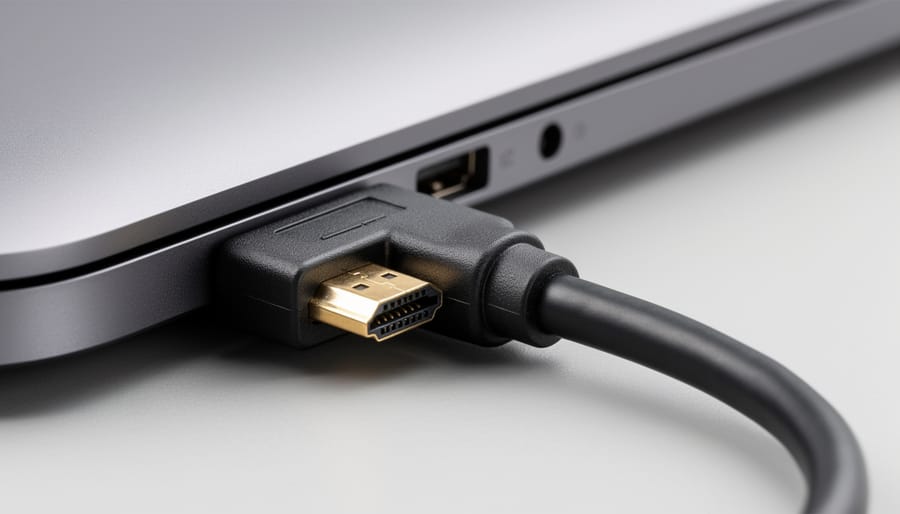
A standard micro HDMI connector extends straight out from the device port, creating a perpendicular angle between the cable body and the device surface. This works fine when you have several inches of clearance, but becomes problematic when a tablet sits in a tight mount, a camera lives inside a protective case, or a device is pressed against a wall. The cable either won’t fit, or you’re forced to bend it sharply at the connection point, which stresses both the cable and the delicate port.
A 90-degree micro HDMI connector solves this by building the right angle directly into the connector housing. Instead of the cable extending straight out, the connector body redirects it to run parallel with the device surface. This means the cable exits either upward or downward from the port, depending on which orientation you choose.
The two orientation options matter because micro HDMI ports appear in various positions across different devices. An upward-angled connector works when your device’s port is on the bottom edge or when you need to route the cable up toward cable management channels. A downward-angled version suits devices with top-mounted ports or situations where the cable needs to drop down and run along a desk or entertainment center surface.
The mechanical advantage goes beyond just fitting into tight spaces. By eliminating the sharp bend at the port, these connectors distribute stress across the connector housing rather than concentrating it at the port’s solder joints. This matters particularly for devices you connect and disconnect frequently, or installations where vibration is a factor, such as in vehicles or on camera rigs.
Common Use Cases and Applications
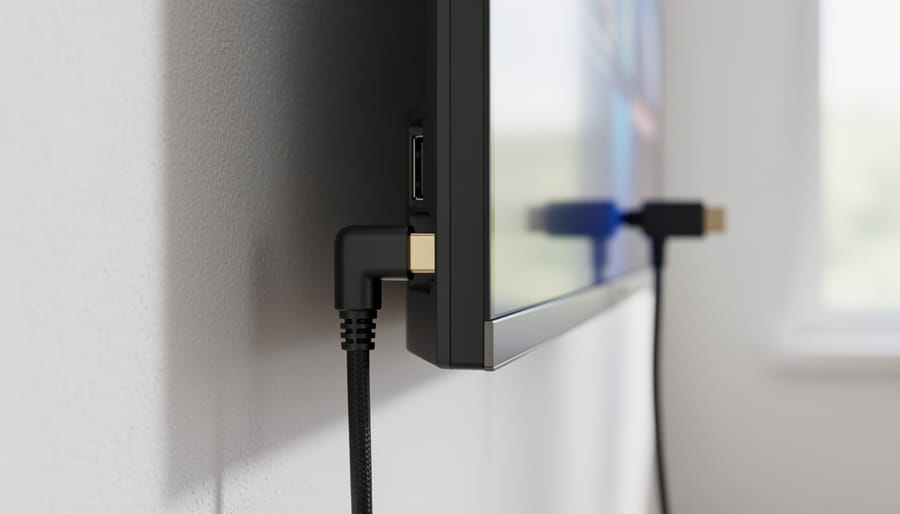
The most common scenario where 90-degree micro HDMI connectors prove essential involves tablets and small monitors mounted flush against walls or inside kiosks. When a standard straight connector protrudes several inches from the back of the device, it either prevents proper mounting or creates dangerous strain on the port. A 90-degree adapter routes the cable parallel to the wall, eliminating the clearance problem entirely.
Action cameras represent another critical use case. Many protective housings and mounting cages for cameras like older GoPro models leave minimal space around the micro HDMI port. A straight connector often won’t fit inside the housing at all, or if it does, the cable gets pinched against the case wall. The 90-degree configuration turns the cable away from the obstruction, making video preview and capture possible without removing the camera from its protective enclosure.
Raspberry Pi projects and single-board computers create frequent demand for these connectors. When a Pi is installed in a compact custom case, entertainment center shelf, or industrial enclosure, the standard micro HDMI ports on newer models sit very close to case walls. Straight connectors either don’t fit or force builders to use oversized cases just to accommodate cable clearance. A properly oriented 90-degree connector solves the problem with no case modifications.
Behind-TV installations also benefit significantly when connecting streaming sticks, media players, or SBC-based systems with micro HDMI outputs. Modern wall-mounted displays leave almost no gap between the panel and the wall, making straight connectors impractical. The right-angle configuration keeps everything flat and eliminates the need to pull the TV away from the wall.
Automotive installations for backup cameras, dash recorders, and in-vehicle displays present similar challenges. Devices mounted in tight dashboard cavities or inside door panels can’t accommodate cables jutting straight out. The 90-degree turn allows routing through narrow channels and maintains a low profile where space is severely limited.
Adapter vs. Built-In Cable: Which Configuration to Choose
You have two main options when you need a 90-degree micro HDMI connection: a standalone adapter that converts the connector angle, or a complete cable with the right-angle connector already built into one end. Each approach has distinct advantages depending on your situation.
Standalone adapters feature a male micro HDMI connector on one side and a female standard HDMI port on the other, creating a compact 90-degree pivot point. You plug the adapter into your device’s micro HDMI port, then connect your existing HDMI cable to the adapter’s output. This configuration excels when you already own quality cables and simply need to solve an orientation problem. The adapter itself typically measures less than an inch long, adding minimal bulk to the connection point.
Built-in cable solutions integrate the 90-degree connector directly into a complete micro HDMI to HDMI cable. The angled connector is permanently attached at the micro HDMI end, while the opposite end features a standard HDMI connector (usually straight). This approach eliminates an extra connection point in your signal path, which theoretically reduces potential points of failure and signal degradation.
| Configuration Type | Best Use Case | Flexibility | Typical Cost Range |
|---|---|---|---|
| Standalone Adapter | Existing cable collection, multiple devices, testing orientation | Works with any HDMI cable you own | $8, $15 |
| Built-In Cable | Permanent installations, clean cable runs, dedicated setups | Fixed length and orientation | $12, $30 (length-dependent) |
Signal integrity differences between these configurations are negligible for typical runs under 15 feet, assuming you buy a quality HDMI cable in either case. The adapter introduces one additional physical connection, but well-manufactured adapters with gold-plated contacts maintain full HDMI 2.0 or 2.1 specifications without measurable signal loss.
Cable management often drives the decision. Adapters create a visible junction point and slightly more cable bulk at the device end, which can complicate routing in extremely tight enclosures. Built-in cables present a cleaner profile since the 90-degree turn flows directly into a single continuous cable run.
Cost considerations favor adapters for users with multiple devices or uncertain orientation needs. A single adapter can serve several devices when paired with different cable lengths, whereas each built-in cable locks you into one specific length. However, for permanent installations where you know the exact cable length and orientation required, an integrated cable eliminates the adapter purchase entirely and reduces connection points.
Choose adapters when you value flexibility or need to test whether up-angled or down-angled orientation works better for your space. Select built-in cables for dedicated setups where you’ve confirmed the exact requirements and prioritize the cleanest possible installation.
Technical Specifications That Matter
HDMI version support determines your adapter or cable’s performance ceiling. HDMI 1.4 handles 1080p at 60Hz and 4K at 30Hz, adequate for older tablets and basic displays but limiting for modern 4K content. HDMI 2.0 pushes 4K to 60Hz with HDR support, making it the practical minimum for current devices. HDMI 2.1 extends bandwidth to 48Gbps, enabling 4K at 120Hz and 8K at 60Hz, though few micro HDMI devices yet exploit these capabilities. Check your source device specifications; a GoPro or Raspberry Pi 4 benefits from 2.0 support, while an older action camera won’t utilize anything beyond 1.4.
Resolution and refresh rate compatibility flows directly from HDMI version, but manufacturers sometimes cut corners. Verify the product explicitly lists your target resolution, a vague “supports 4K” claim without specifying 30Hz versus 60Hz signals trouble. For gaming or high-motion video, refresh rate matters as much as resolution; 4K at 30Hz produces visible judder that 1080p at 60Hz avoids.
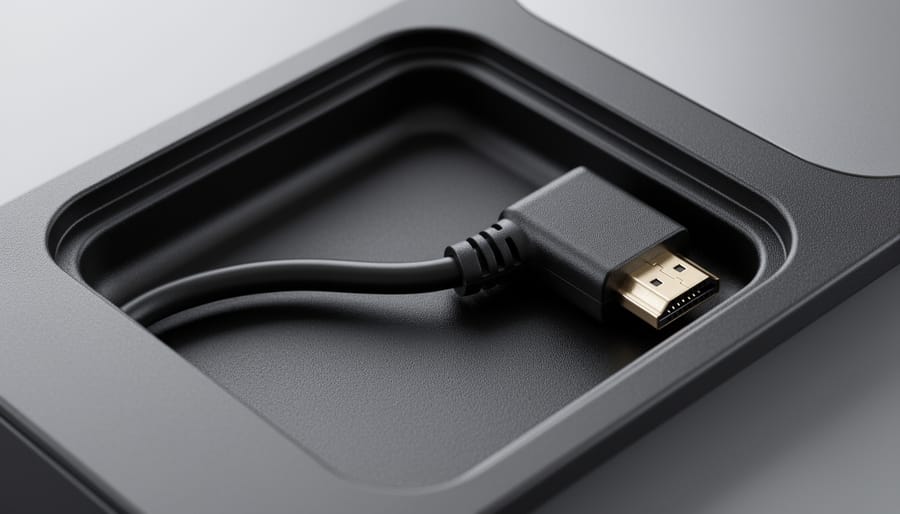
Build quality separates reliable connections from intermittent failures. Gold-plated connectors resist oxidation in humid environments and maintain better contact pressure over repeated insertions. Triple-layer shielding (braided outer layer, aluminum foil wrap, and drain wire) blocks electromagnetic interference that causes snow or dropouts, particularly critical in installations near power cables. Molded strain relief at the connector junction prevents the common failure point where cable flexing fractures internal conductors.
Cable gauge affects longer runs, though most 90-degree applications involve short distances. For runs exceeding six feet, 28AWG or 26AWG conductors maintain signal integrity better than thinner 30AWG or 32AWG wires common in budget adapters. The physics: thicker copper reduces resistance and signal degradation.
Certification marks like “HDMI Certified” indicate tested compliance with specification requirements, though counterfeit markings exist. Premium HDMI Cable Certification (the official Ultra High Speed designation for 2.1) guarantees 48Gbps performance, helping you choose the right HDMI solution when specifications overlap. Manufacturer reputation often proves more reliable than certification stickers alone.
Installation Considerations and Potential Issues
Before you buy a 90-degree micro HDMI adapter or cable, measure the actual clearance around your device’s port. Hold a ruler perpendicular to the port face and note the distance to the nearest obstruction, wall, case edge, or adjacent component. Most 90-degree connectors add 8-12mm of depth beyond the port face before the cable turns, so if your clearance is less than 15mm, verify the specific product dimensions against your available space.
Orientation matters more than many buyers realize. Up-angled and down-angled connectors are not interchangeable. Before purchasing, determine which direction your cable needs to exit: toward the top edge of your device, toward the bottom, or parallel to a mounting surface. Take a photo of your port area from multiple angles to reference while shopping, since product listings rarely show all orientations clearly.
In tight installations, finger-tighten the connector rather than forcing it. Micro HDMI ports are mechanically fragile, and the reduced access in confined spaces makes it easy to apply uneven pressure that can crack the port’s solder joints or circuit board mount. If you cannot align the connector comfortably by feel, use a small flashlight or your phone’s camera to visually confirm alignment before applying pressure.
After the 90-degree turn, the cable still needs somewhere to go. Plan your cable routing beyond the immediate connector area. A right-angle solution that clears your first obstacle might create a sharp bend three inches further along if the cable hits another surface. In some cases, a short straight micro HDMI cable to a 90-degree standard HDMI adapter provides more routing flexibility than a built-in angled connector.
Right-angle connectors can introduce new problems. If your device sits in a shallow recess or against a rear panel with limited depth, the sideways cable exit might protrude further than a straight connector would. Test-fit or confirm return policies before permanent installation.
What to Look for When Shopping in 2026
Start by confirming HDMI 2.1 support if you plan to run 4K at 120Hz or need eARC for audio equipment. Many budget 90-degree adapters still max out at HDMI 2.0 specifications, which limits future display upgrades. Check product listings for explicit version numbers rather than vague “4K support” claims, resolution alone doesn’t tell you refresh rate or feature compatibility.
Prioritize generous return windows. Because orientation matters critically, you might order an up-angled adapter only to discover your specific port placement requires a down-angled version. A no-questions return policy saves you from eating the cost of an unusable connector.
For permanent installations, behind wall-mounted TVs or inside equipment racks, invest in higher build quality. Gold-plated contacts resist corrosion, braided cable sleeves prevent kinking at the 90-degree bend point, and metal connector housings outlast plastic alternatives. These aren’t luxury features; they determine whether your connection remains stable over years of heat cycles and vibration.
Stick with manufacturers that list verifiable certifications and provide detailed specifications. Generic brands flooding marketplaces often skip proper shielding, leading to signal dropouts that only appear after you’ve routed cables and closed up your installation. Read what to know before you buy to avoid these pitfalls, especially for applications where replacing a failed adapter means dismantling your entire setup.
A 90-degree micro HDMI solution makes sense when you’re dealing with genuine physical constraints, tight spaces behind wall mounts, confined enclosures, or installations where a straight connector creates strain on the port. These aren’t upgrades to buy speculatively. Measure your clearance first, identify which orientation you need, and verify that a right-angle turn actually improves your cable routing rather than just shifting the problem a few inches. For open setups with ample room, standard straight connectors cost less and eliminate the orientation guesswork.
The value proposition is straightforward: if bending a standard cable to fit your space risks damaging the port or the cable itself, a 90-degree connector solves that specific problem. If your current setup works without strain, there’s no compelling reason to switch. These are problem-solving tools, not performance enhancers, and they work best when you’ve confirmed the exact configuration your installation requires before ordering.
Do 90-degree adapters reduce signal quality?
Quality 90-degree adapters and cables maintain full signal integrity for their rated HDMI version. The right-angle design doesn’t inherently degrade the signal, though poorly manufactured adapters with inadequate shielding may introduce issues regardless of their angle.
Can I use a 90-degree adapter with any micro HDMI device?
Yes, 90-degree adapters are mechanically compatible with any device featuring a micro HDMI port. However, the adapter’s physical orientation must match your specific clearance constraints, and some device cases may block the adapter’s profile.
What’s the difference between left-angle and right-angle configurations?
The terms refer to which direction the cable exits when viewing the port straight-on: left-angle routes the cable to the left, right-angle to the right. Some products use “up-angle” and “down-angle” instead, describing vertical routing.
Will a 90-degree connector fit in my device’s case?
This depends entirely on your case design. Measure the clearance around your micro HDMI port and compare it to the adapter’s published dimensions, accounting for both the connector body and the cable’s minimum bend radius after the turn.
Treat the purchase as you would any specialized connector: buy it to fix a documented clearance issue, not as a preventive measure. The right 90-degree solution eliminates port strain and cable damage in constrained installations, but only if you’ve measured correctly and chosen the appropriate orientation for your specific setup.