
Charging your Samsung Galaxy Buds2 Pro requires a USB-C to USB-C cable, which comes included in the box, and any USB power source capable of delivering standard charging current. The earbuds’ case features a USB-C port on the back and supports both wired and wireless charging methods, giving you flexibility in how you power up. Samsung officially recommends using only authentic cables and chargers purchased directly from Samsung or authorized suppliers, warning that third-party accessories can cause overheating or damage to the charging case and earbuds.
Understanding cable compatibility matters because the wrong charging approach can shorten battery lifespan or compromise safety. While the USB-C standard ensures broad compatibility with most modern phone chargers, power banks, and laptop ports, not all cables meet the same quality standards. The included cable guarantees proper fit and electrical specifications, but you’re not locked into that single option forever. Replacement cables are available through Samsung Canada’s mobile accessories catalog and other authorized retailers, ensuring you can find a reliable spare when needed.
Wireless charging adds convenience if you already own a Qi charging pad, eliminating cable wear altogether. This dual charging capability means you can charge the case on your desk wirelessly during the day and top up with a USB-C cable when traveling, adapting to whatever power source is most accessible at the moment.
What You Need to Charge Your Galaxy Buds2 Pro
Charging your Galaxy Buds2 Pro requires minimal equipment, most of which Samsung includes in the box. Understanding what you already have and what you need to supply separately ensures you’re ready to power up your earbuds without delay.
- USB-C to C cable (included in the box)
- USB-C power adapter (not included, you must supply this)
- Wireless charging pad (optional alternative)
- Charging case (included with the earbuds)
Samsung includes a USB-C to C cable with the Galaxy Buds2 Pro, connecting directly to the USB-C port on the back of the charging case. However, the package does not include a power adapter. You’ll need to provide your own USB-C power adapter or use an existing one from a phone, tablet, or laptop. Any standard USB-C power source works, though Samsung recommends authentic adapters to avoid compatibility issues.
If you prefer cable-free convenience, the charging case supports wireless charging on any Qi-compatible charging pad. This optional method eliminates the need for physical cables altogether, though you’ll still need to purchase a wireless pad separately if you don’t already own one.
For those maintaining multiple charging setups or replacing damaged cables, it’s worth learning how to choose the right cable tools for long-term cable management. With these essentials in hand, you’re equipped to keep your Buds2 Pro charged and ready.
USB-C Cable Compatibility: What Works and What to Avoid
Authentic vs Third-Party Cables
Samsung’s official guidance is unambiguous: use only authentic chargers and cables purchased directly from Samsung or from authorized suppliers. Third-party cables may seem like a convenient or cheaper alternative, but they carry real risks. Non-authentic cables can cause the charging case to overheat or suffer permanent damage, even if they fit the USB-C port. The problem lies in inconsistent power delivery and quality control, many third-party manufacturers don’t adhere to the same standards Samsung uses for its included cables.
If you need a replacement USB-C to C cable, purchase it from Samsung’s official website or retail stores. Authorized suppliers, including major electronics retailers that carry Samsung accessories, are also safe options. For Canadian users, Samsung Canada’s online store stocks genuine mobile accessories, including replacement charging cables. While authentic cables typically cost more than generic alternatives, they protect your investment and ensure the charging case operates as designed. Stick with verified sources rather than marketplace sellers offering unbranded cables at steep discounts, the savings aren’t worth the potential damage to your earbuds or case.
USB-C to C vs Other Cable Types
The Galaxy Buds2 Pro case uses a USB-C port and requires a USB-C to USB-C cable, the same type included in the box. This matters because older USB-A to USB-C cables, which have the rectangular USB-A connector on one end, won’t plug into the case’s USB-C port at all. The physical connector simply doesn’t fit.
USB-C to C cables deliver power more efficiently and are the standard for modern Samsung devices, which is why Samsung ships them with the Buds2 Pro. If you’re replacing a lost cable or need a spare, make sure it’s USB-C on both ends. Trying to adapt a USB-A cable with a converter isn’t recommended and can introduce compatibility or safety issues that Samsung’s authentic cables are designed to avoid.
Safety and Precautions Before Charging
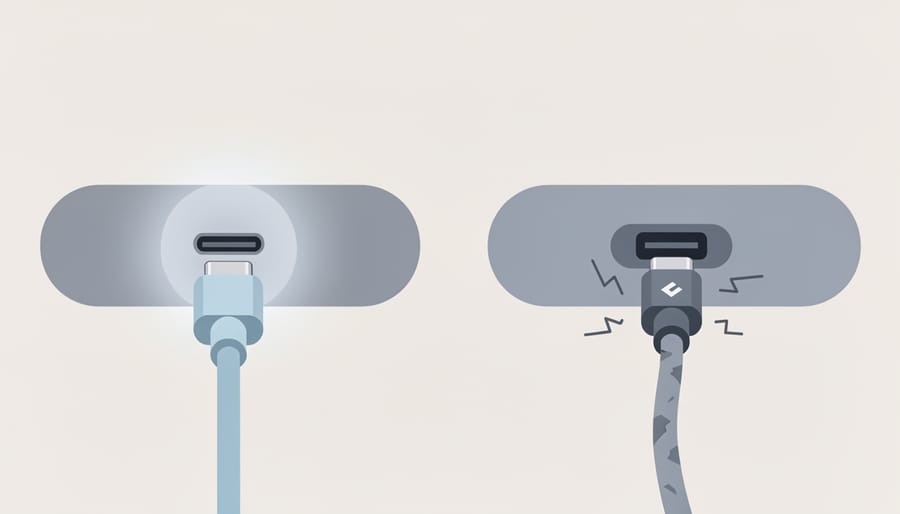
Samsung strongly recommends using only authentic chargers and cables purchased directly from Samsung or authorized suppliers. Third-party cables can cause overheating or damage to your Galaxy Buds2 Pro case and earbuds, potentially voiding your warranty or creating a safety hazard. While generic USB-C to C cables may physically fit, they don’t always meet Samsung’s specifications for safe power delivery.
Before you plug in, take a moment to follow these precautions:
- Use only authentic Samsung cables or those from authorized suppliers to prevent overheating and damage
- Inspect the USB-C port on the back of the case for lint, debris, or dust that could interfere with the connection
- Keep the charging case away from moisture, liquids, and humid environments during charging
- Ensure the case exterior is completely dry before connecting any cable
If you notice the case becoming unusually warm during charging, disconnect it immediately and inspect both the cable and port. Excessive heat often signals a problem with cable quality or a poor connection. Samsung Canada and other regional Samsung stores stock replacement cables if your original becomes damaged, so resist the temptation to grab the cheapest third-party option online. Proper cable choice protects your investment and keeps your Buds2 Pro charging safely for years.
Step-by-Step: How to Charge Your Galaxy Buds2 Pro with USB-C
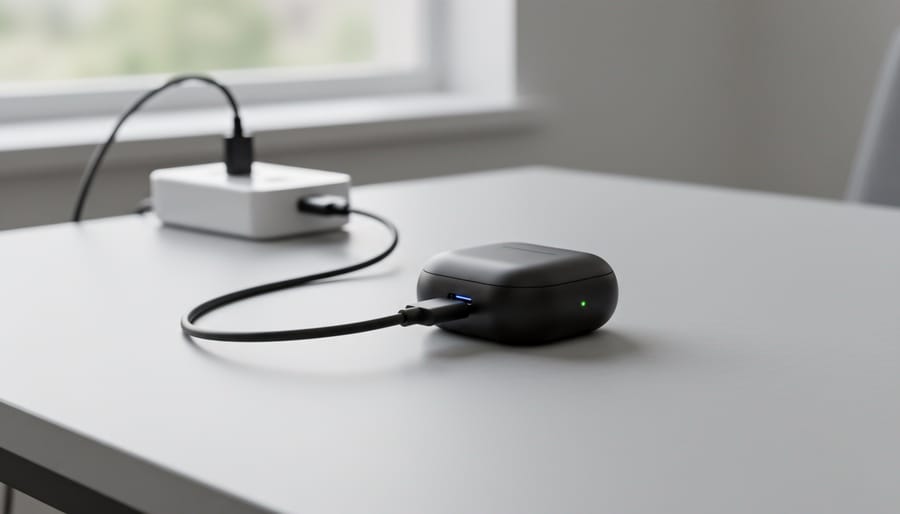
Charging your Galaxy Buds2 Pro is straightforward once you understand the process. The case features a USB-C port on the back panel, designed to work with the USB-C to C cable included in your box. Follow these steps to charge your earbuds safely and effectively.
- Insert both Galaxy Buds into their designated slots inside the charging case. Each earbud fits into a specific left or right position, marked inside the case. You’ll feel a gentle magnetic pull when they’re properly seated.
- Close the charging case lid completely. The earbuds won’t charge if the lid remains open, so make sure it clicks shut.
- Connect one end of the USB-C cable to the charging port on the back of the case. The port is centered on the rear panel and accepts the cable in only one orientation.
- Plug the other end of the cable into a USB-C power adapter or a compatible USB power adapter wall socket. You can also connect to a USB-C port on your laptop or computer, though wall adapters typically provide more consistent power delivery.
- Check the LED indicator on the front of the case. When charging begins, you’ll see a light indicating the current battery status. The indicator shows red when the battery is low and green when charging is complete or the case has sufficient charge.
During the charging process, the case remains sealed. You don’t need to monitor it constantly, but a quick glance at the LED gives you immediate feedback about charging progress. The light will turn off once the case reaches full capacity.
If the LED doesn’t illuminate when you connect the cable, check your connections at both ends. Make sure the cable is fully inserted into the case port and the power source is active. The authentic USB-C to C cable that shipped with your Buds2 Pro provides the most reliable charging experience, avoiding the overheating risks associated with non-authentic accessories.
Wireless Charging as an Alternative
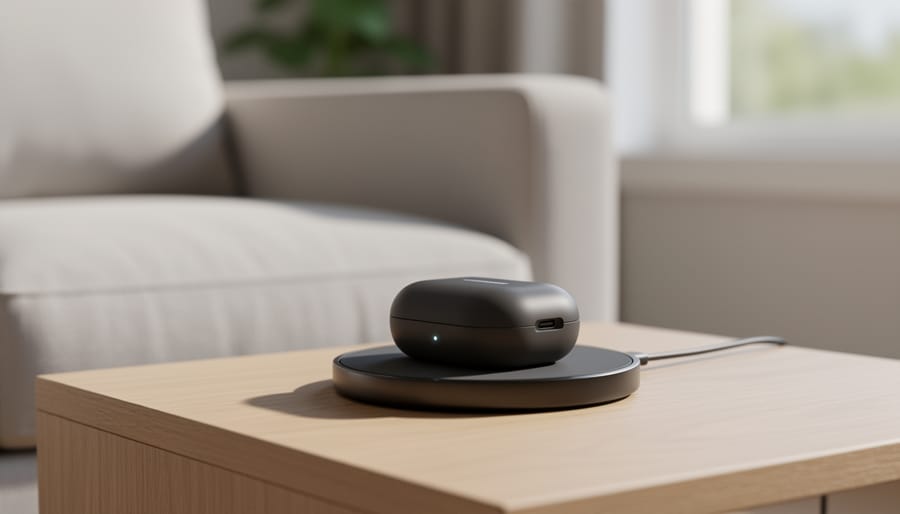
If you’d prefer not to use a cable, the Galaxy Buds2 Pro case also supports wireless charging. You can place the case directly on Qi-compatible charging pads instead of connecting a USB-C cable. This offers a convenient, cable-free way to keep your earbuds charged, especially if you already use a wireless charging pad for your phone or other devices.
To charge wirelessly, simply place the closed charging case on the center of the pad. The case should align with the charging coil, typically marked or centered on most Qi pads. You’ll notice the LED indicator on the case light up if charging begins successfully. If the light doesn’t appear, adjust the case position slightly until the pad detects it.
Wireless charging works as a straightforward alternative to USB-C cable charging, though it can be slower. It’s a practical option for overnight charging or when you don’t have a cable handy. Whether you choose wired or wireless, both methods safely recharge the Buds2 Pro case using the same charging circuitry inside.
How to Verify Your Buds2 Pro Are Charging Correctly
Once you’ve connected your Galaxy Buds2 Pro case to power, you’ll want to confirm that charging has actually begun. The charging case includes an LED indicator that provides visual feedback, when you plug in the USB-C cable or place the case on a wireless charging pad, the LED should illuminate to signal that power is flowing. If the light doesn’t appear or behaves unexpectedly, it’s worth running through a few basic checks before assuming there’s a hardware problem.
Here’s how to verify charging and troubleshoot if something seems off:
- Check the LED indicator on the front of the case, it should light up when charging begins
- Ensure the USB-C cable is fully inserted into the port on the back of the case
- Try connecting to a different USB-C power source or adapter to rule out an issue with the original outlet or port
- Inspect the charging port for lint, debris, or visible damage that could prevent a solid connection
- Open the case and verify the earbuds are properly seated in their charging slots, as the case won’t draw power correctly if the buds aren’t positioned right
If the LED remains dark after these checks, disconnect everything and reconnect step by step: insert the earbuds, close the case, plug in the cable firmly, and watch for the light. A loose connection is the most common culprit, so pressing the USB-C plug in until you feel it seat completely often solves the problem. For additional true wireless earbuds charging tips and best practices, especially if you’re troubleshooting across multiple devices, those resources can offer useful context.
If the port looks damaged or you still see no response after trying multiple cables and power sources, contact Samsung support or visit an authorized service center. Forcing a damaged port or using an incompatible cable risks further harm, so it’s safer to get a professional assessment than to keep experimenting.
Frequently Asked Questions
Can I use any USB-C cable to charge the Galaxy Buds2 Pro?
While the charging case uses a standard USB-C port, Samsung recommends using only authentic chargers and cables purchased from Samsung or authorized suppliers. Third-party cables can result in overheating or damage to the product, so stick with the included cable or an authentic Samsung replacement for safety.
Does the Buds2 Pro case support wireless charging?
Yes, the charging case supports wireless charging in addition to wired USB-C charging. You can place the case on any compatible Qi wireless charging pad for cable-free charging.
Where can I buy a replacement USB-C cable if I lose the original?
Purchase replacement cables directly from Samsung or through authorized suppliers to ensure authenticity and safety. In Canada, Samsung Canada sells mobile accessories including charging cables through their official channels.
What cable comes in the box with the Galaxy Buds2 Pro?
Samsung includes a USB-C to C cable in the box with the Galaxy Buds2 Pro. You’ll need to supply your own USB-C power adapter, as one isn’t included in the package.
These questions cover the most common concerns users have when setting up charging for their Galaxy Buds2 Pro. The emphasis on authentic cables might seem repetitive, but it’s the single most important factor in preventing damage to your earbuds and case. Many users assume all USB-C cables are identical, but build quality and electrical specifications vary significantly between manufacturers.
If you’re traveling or need a backup cable, buying directly from Samsung costs a bit more than generic alternatives but eliminates the risk of compatibility issues or unsafe charging behavior. The wireless charging option provides a convenient backup method that doesn’t require keeping track of cables at all.
Charging your Samsung Galaxy Buds2 Pro is straightforward when you use the right equipment. The device requires a USB-C to C cable, the same type included in the box, connected to a compatible power adapter or port. Samsung’s official guidance is clear: stick with authentic chargers and cables purchased directly from Samsung or authorized suppliers. Third-party options might seem convenient, but they carry real risks of overheating or damaging your earbuds and case.
If you prefer cable-free power, the charging case supports wireless charging on any Qi-compatible pad. Simply place the case on the pad, ensure proper alignment, and let it charge without fumbling with cables.
Using proper, authentic cables isn’t just a recommendation, it’s a safeguard. Counterfeit or off-brand accessories can compromise the internal circuitry, shorten battery life, or create safety hazards. By following Samsung’s guidelines and using verified equipment, you protect your investment and keep your Buds2 Pro running reliably for years.