
Your laptop’s overheating isn’t just killing performance today; it’s shortening its lifespan. A quality cooling pad addresses this by drawing heat away from critical components through active airflow, typically dropping operating temperatures by 10-20 degrees Celsius. The right choice depends on matching fan configuration and size to your laptop’s thermal design, usage intensity, and portability needs.
Laptop cooling pads work by positioning fans directly beneath your device’s intake vents, accelerating the natural cooling cycle that prevents thermal throttling during demanding tasks like gaming, video rendering, or extended work sessions. Models like the havit HV-F2056 15.6″-17″ Laptop Cooler Cooling Pad and TECKNET Laptop Cooling Pad dominate the budget segment, while premium options such as the Razer Laptop Cooling Pad Adaptive Smart offer intelligent fan control that responds to real-time thermal loads.
The cooling pad market in 2026 splits into three practical categories: budget-friendly single or dual-fan units for light computing, multi-fan configurations for gaming laptops with discrete GPUs, and specialized designs for professional workstations. Understanding which category matches your thermal challenges prevents wasting money on underpowered solutions or overpaying for features you won’t use. This guide examines each approach without affiliate bias, focusing on engineering principles that separate effective thermal management from marketing claims.
Why Laptop Cooling Matters
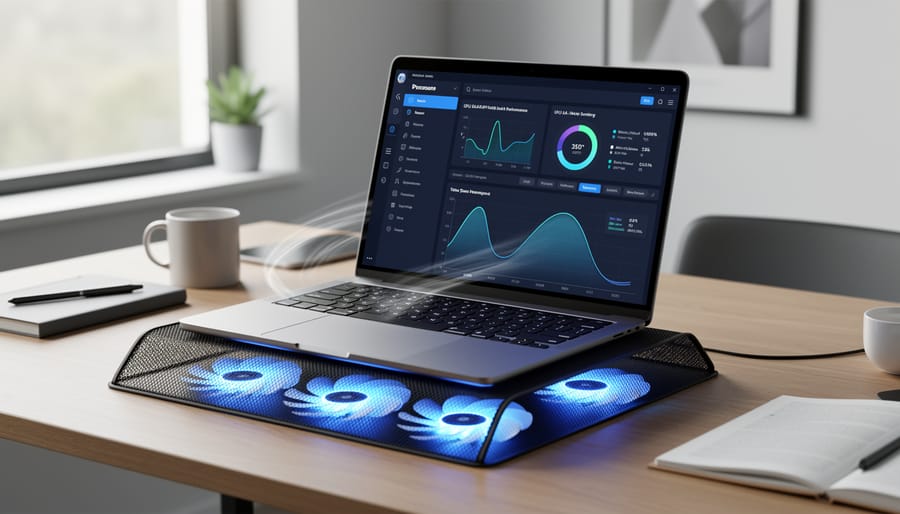
Laptop cooling exists on a spectrum from adequate to critical, and understanding where your usage falls determines whether you need external help. Every laptop generates heat during operation, and modern processors can produce substantial thermal loads under sustained workloads. When internal temperatures climb too high, chips protect themselves through thermal throttling, automatically reducing clock speeds to prevent damage. This self-preservation mechanism keeps your hardware safe but sacrifices the performance you paid for.
The performance impact shows up as dropped frame rates during gaming, longer rendering times for video editing, and sluggish multitasking when running multiple applications. What makes this frustrating is that you’ve invested in capable hardware, but heat constraints prevent it from delivering. Beyond immediate performance loss, sustained high temperatures accelerate component degradation. Thermal cycling, repeated expansion and contraction from heating and cooling, stresses solder joints and can shorten the lifespan of internal components.
Your laptop’s built-in cooling handles most everyday tasks adequately. Web browsing, document editing, and light media consumption rarely push temperatures into concerning territory. Factory cooling systems are designed for typical use patterns and ambient conditions. You might not need a cooling pad if you primarily handle office work in air-conditioned spaces with your laptop on a hard surface that doesn’t block vents.
Cooling pads become necessary when you regularly push your laptop hard. Gaming sessions, video encoding, 3D rendering, and running virtual machines generate sustained heat loads that exceed what compact internal fans can dissipate efficiently. If you notice fan noise ramping up constantly, feel excessive heat on the keyboard deck, experience performance drops during demanding tasks, or use your laptop on soft surfaces like beds or couches that restrict airflow, external cooling addresses these limitations.
Types of Laptop Cooling Pads Compared
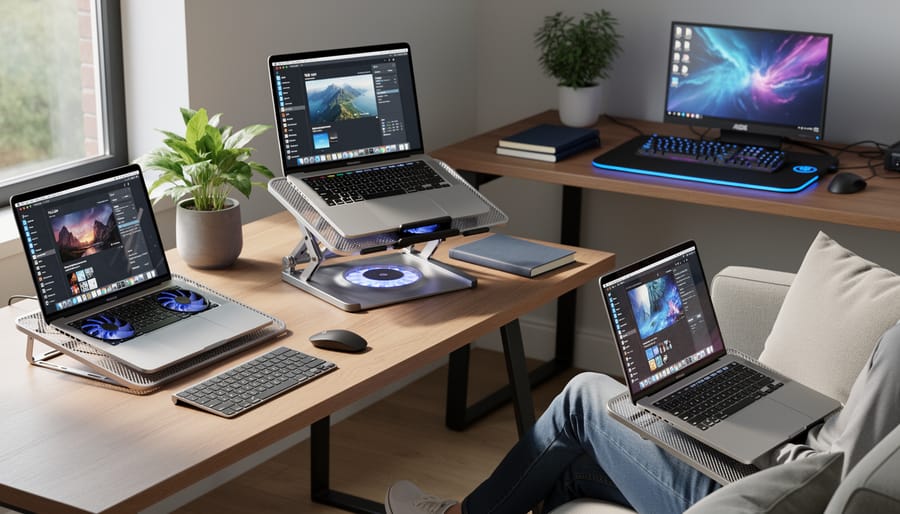
Laptop cooling pads fall into two broad categories: active and passive. Active cooling pads use fans to force air across your laptop’s bottom vents, actively pulling heat away. These typically feature anywhere from one to nine fans, with common configurations being dual-fan, triple-fan, or multi-fan arrays. The number of fans affects both cooling power and noise, larger single or dual fans often move more air quietly than arrays of smaller fans, though multi-fan designs can target specific heat zones more effectively.
Passive cooling pads rely on heat-dissipating materials without fans. These use aluminum or metal mesh surfaces that conduct heat away from the laptop through direct contact. They’re silent and need no power, but provide significantly less cooling than active models. Passive pads work best for light computing tasks where the laptop generates minimal heat.
| Type | Cooling Method | Noise Level | Best Use Cases |
|---|---|---|---|
| Single/Dual Fan Active | Larger fans (4-5 inches) | Low to moderate | General use, office work, moderate gaming |
| Multi-Fan Active (3-9 fans) | Multiple smaller fans | Moderate to high | Gaming, heavy workloads, targeted cooling |
| Passive Metal/Mesh | Heat conduction only | Silent | Light browsing, quiet environments |
Material choice matters beyond cooling performance. Metal mesh surfaces dissipate heat better than plastic and feel more durable, though they add weight. Plastic designs keep the pad lighter for travel but may flex under heavier laptops. The surface texture also affects laptop stability, rubberized grips or raised edges prevent sliding during typing.
Design considerations split between lap-friendly and desk-only models. Lap pads use soft materials like neoprene that shield your legs from heat while remaining comfortable on uneven surfaces. These typically feature lower profiles and integrated grips. Desk-oriented pads prioritize maximum airflow and often include adjustable height stands for ergonomic viewing angles, but their hard surfaces and bulkier frames make them impractical for couch or bed use.
Key Factors When Choosing a Laptop Cooling Pad
Size and Laptop Compatibility
Matching your cooling pad to your laptop’s footprint is the first compatibility checkpoint. Cooling pads are typically sized for 12-inch to 15.6-inch laptops or 17-inch to 19-inch models. A pad that’s too small won’t support your laptop’s edges, creating instability and leaving vents uncovered. One that’s too large adds unnecessary bulk when traveling and can feel awkward on a desk.
Measure your laptop’s base diagonally, then check the cooling pad’s supported size range. Don’t rely solely on screen size, some 15.6-inch gaming laptops have wider chassis than standard ultrabooks. Verify actual dimensions in millimeters before buying.
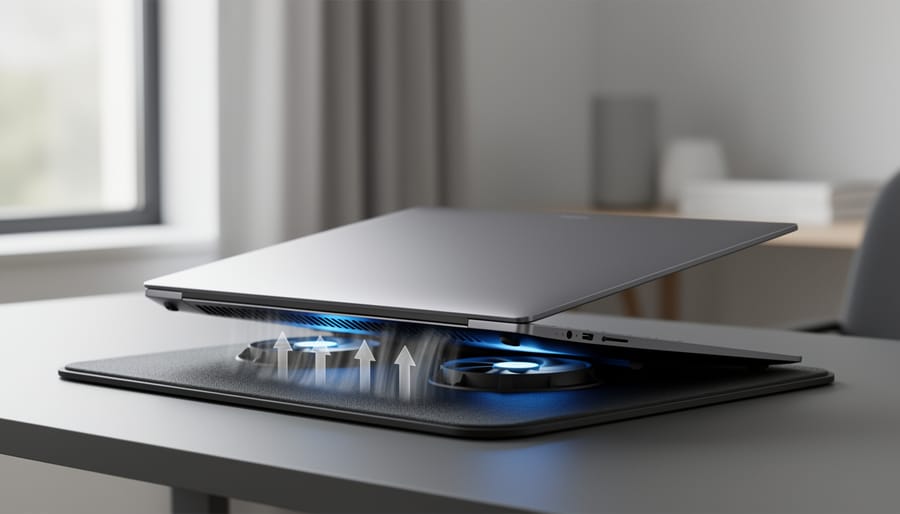
Vent alignment matters more than many users realize. Laptops expel heat through bottom intake vents, typically located along the rear third or center of the base. Position your laptop so these vents sit directly above the cooling pad’s fans for maximum airflow. Some pads have adjustable fan positions; others use a mesh surface that distributes airflow evenly regardless of vent location.
Finally, consider fit tolerances. A snug fit prevents sliding during use, especially on tilted pads. Rubber stoppers or edge guards help secure the laptop, but the pad’s surface area should match closely, not extend several inches beyond the laptop’s footprint or leave corners hanging unsupported.
Fan Configuration and Airflow
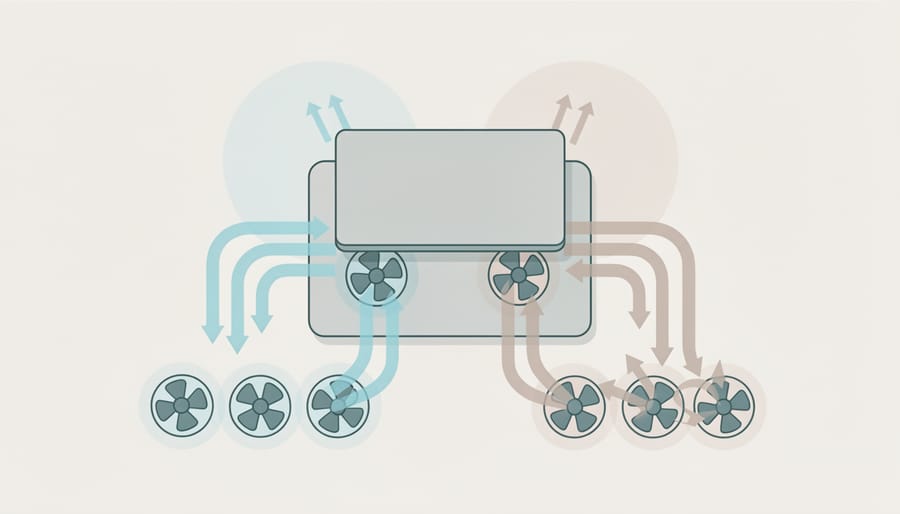
Fan count and configuration directly determine how effectively a cooling pad moves heat away from your laptop. Single-fan models typically concentrate airflow in one area, which works for smaller laptops but can leave hot spots on larger machines. Dual-fan setups distribute cooling more evenly across a 15-17 inch laptop base, while multi-fan configurations (three to nine fans) provide broader coverage for gaming laptops and workstations with multiple heat sources.
Fan size creates a trade-off between cooling power and noise. Larger fans (120mm or more) move substantial air at lower RPMs, keeping noise down while maintaining strong airflow. Smaller fans (70-80mm) must spin faster to achieve comparable cooling, which increases noise but allows manufacturers to fit more fans in the same space for targeted coverage.
CFM (cubic feet per minute) measures actual airflow volume. Budget cooling pads typically deliver 30-50 CFM, suitable for basic web browsing and office work. Performance-oriented models push 60-80 CFM or higher, necessary for gaming sessions or sustained processor-intensive tasks. Higher CFM doesn’t automatically mean better cooling, airflow must reach your laptop’s intake vents to make a difference.
Most cooling pads use an intake orientation, pulling cool air up through the pad and pushing it toward the laptop’s bottom vents. This design matches how most laptops draw air, making it the standard configuration. Variable fan speed controls let you balance cooling power against noise depending on your workload.
Build Quality and Materials
Build quality determines both how long your cooling pad will last and how well it protects your laptop during use. Metal mesh construction provides superior heat dissipation compared to plastic, aluminum and steel surfaces conduct heat away from your laptop’s base while remaining cool to the touch. Plastic pads, while lighter and cheaper, can retain heat and may warp or crack with prolonged use, especially under heavier gaming laptops.
Weight matters when you’ll carry the pad between locations. Metal pads typically weigh 1.5 to 3 pounds, while plastic models clock in under 1 pound. If you move your setup daily, those extra ounces add up quickly in your bag.
Surface texture directly affects laptop stability. Look for pads with rubber or silicone grips that prevent sliding during intense gaming sessions or when you adjust screen angles. Some models use raised mesh patterns that grip laptop feet without additional strips. Avoid smooth, slick surfaces, they’ll let your laptop drift, potentially blocking airflow vents.
Durability extends beyond materials to hinge construction and fan housing. Wobbling stands and loose height adjusters signal poor assembly that won’t survive regular use. Check customer reviews specifically mentioning longevity; pads that fail within months typically share similar construction shortcuts regardless of brand.
Ergonomics and Adjustability
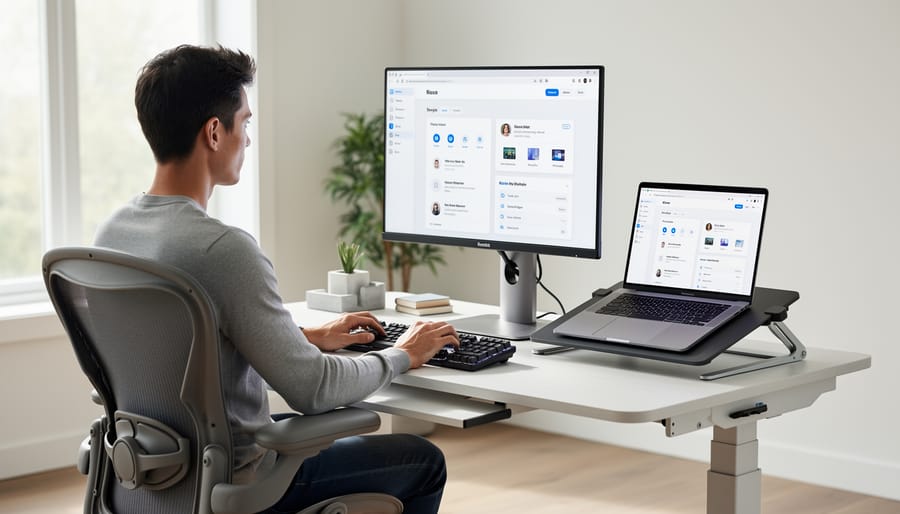
A cooling pad’s ergonomic features directly affect your comfort during extended use. Most models offer 2-7 height adjustment positions, letting you raise the laptop’s rear edge anywhere from 5 to 45 degrees. This tilt serves two purposes: it improves airflow underneath the laptop and creates a more natural typing angle that reduces wrist strain. When you elevate the screen slightly, you’ll also avoid hunching forward, which helps prevent neck and shoulder tension during long work sessions.
For desk use, look for cooling pads with multiple height settings and sturdy kickstands. These provide stable support for aggressive typing without wobbling. Models with 5-8 adjustable positions give you finer control to dial in your preferred viewing angle, whether you’re coding, gaming, or watching content.
Lap use demands different considerations. Neoprene or padded models with lower profiles distribute heat away from your legs while remaining stable on uneven surfaces like blankets or cushions. However, many lap-friendly designs sacrifice height adjustment for portability, offering either a fixed angle or just one or two tilt options.
The trade-off is clear: desk-oriented cooling pads maximize ergonomic adjustability, while lap models prioritize comfort and heat insulation. Choose based on where you’ll actually use your laptop most often, not where you think you might.
Power and Connectivity
Most laptop cooling pads draw power from your laptop’s USB port, which makes them convenient but adds load to your system. A typical cooling pad pulls 0.5 to 2.5 watts per fan, so a three-fan model might use up to 7.5 watts total. That’s manageable for most laptops, but check your USB port’s power output, older ports max out at 2.5 watts, while USB 3.0 ports can supply up to 4.5 watts.
Some high-performance models with five or more fans require a dedicated AC adapter. These deliver consistent power without taxing your laptop’s battery, but you’ll need an outlet nearby. If you travel frequently or work in cafes, stick with USB-powered options.
Look for cooling pads with USB passthrough ports. Since the pad occupies one of your laptop’s USB slots, a passthrough port returns that port to you, essential if your laptop only has two or three USB connections. Quality matters here: cheap passthroughs sometimes fail to deliver full power to connected devices.
Cable management features like built-in grooves or clips keep the USB cable tidy and prevent it from snagging. A retractable or detachable cable offers better portability. Avoid models with permanently attached cables shorter than four feet, which limit placement flexibility.
Noise Levels
Laptop cooling pad noise levels typically range from 20 to 40 decibels, with most models hovering around 25-30 dB during normal operation. The quietest pads operate below 25 dB, barely noticeable in most environments, while high-performance models with multiple fans can reach 35-40 dB under maximum load, roughly equivalent to a whisper or quiet library.
Fan speed controls make a significant difference. Variable speed settings let you balance cooling power against noise: run fans at lower speeds for lighter tasks and ramp them up only when temperatures spike during gaming or rendering. Fixed-speed models give you no such flexibility, which matters most in noise-sensitive settings.
Context determines what’s tolerable. Gamers wearing headsets rarely notice 35 dB, but that same level becomes distracting during video calls or focused office work. If you work in shared spaces or record audio, prioritize models under 25 dB or those with granular fan controls. For gaming sessions where you’re already immersed in game audio, cooling performance trumps near-silent operation.
Recommended Laptop Cooling Pads for 2026
havit HV-F2056 15.6″-17″ Laptop Cooler Cooling Pad

The havit HV-F2056 earns its 4.5-star rating from over 45,000 customers by delivering straightforward, reliable cooling in a portable package. This 3-fan model fits laptops from 15.6 to 17 inches and draws power through a single USB connection, making it genuinely travel-friendly without requiring a separate AC adapter.
The three fans are positioned to create broad airflow coverage across the laptop’s underside, helping distribute cooling where intake vents typically sit. The slim profile keeps the pad from adding noticeable bulk to a laptop bag, and the metal mesh surface provides both durability and adequate ventilation. Build quality feels solid for the price point, with a sturdy frame that supports heavier gaming laptops without flexing.
This cooling pad shines for users who frequently work in different locations or travel with their laptop. Students moving between classes, remote workers alternating between home and coffee shops, and business travelers will appreciate how little space it occupies. It handles moderate gaming sessions and productivity workloads effectively, though users running sustained high-performance tasks might need more aggressive cooling solutions. The straightforward design skips adjustable height stands and RGB lighting, focusing instead on consistent thermal performance and portability.
TECKNET Laptop Cooling Pad
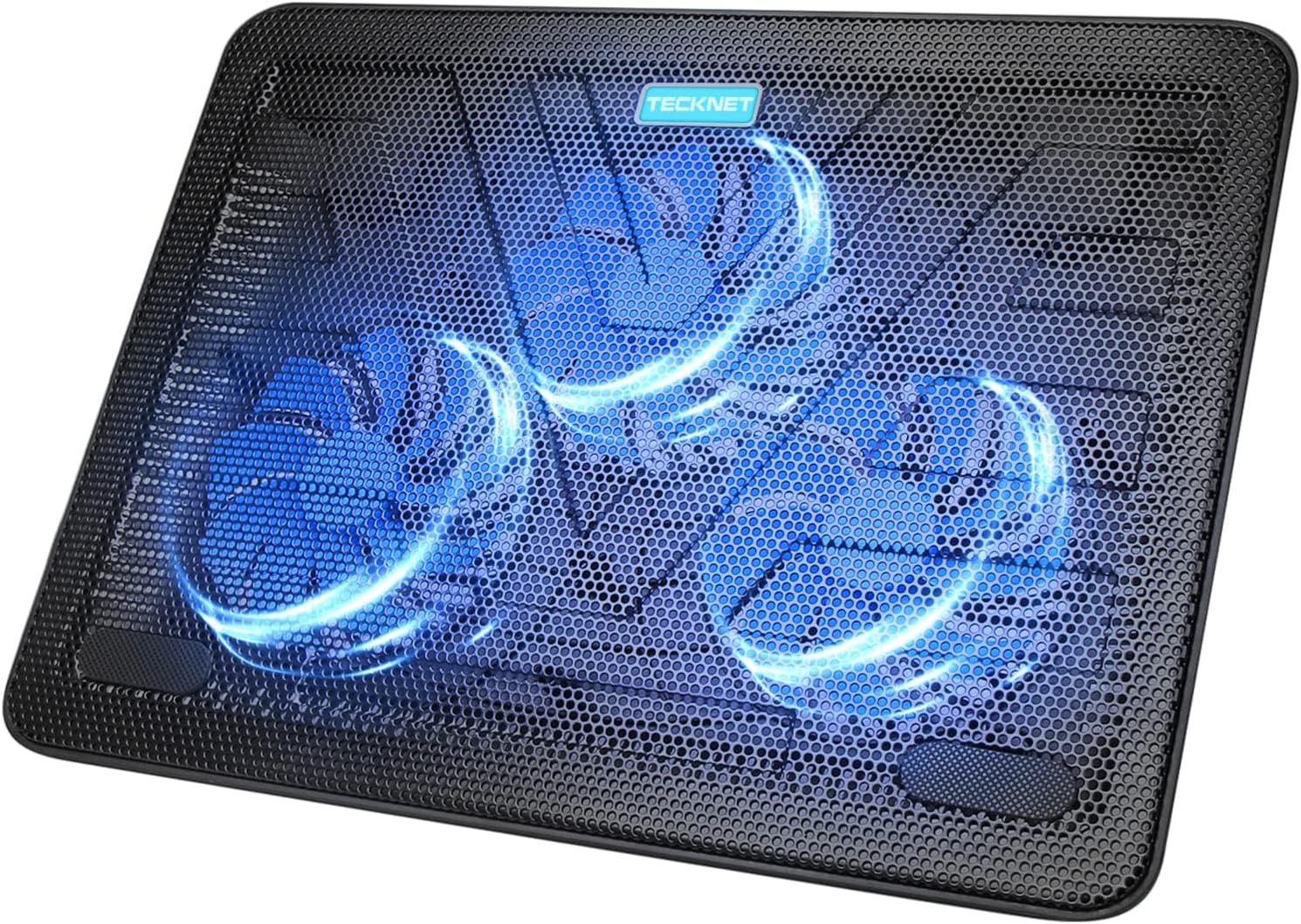
The TECKNET Laptop Cooling Pad earns a strong 4.5 out of 5 stars from 8,943 customer ratings and remains in stock, making it a reliable pick for users with laptops spanning 12 to 17 inches. Its slim profile stands out as a portability win: you can slip this cooler into most laptop bags without adding noticeable bulk, which matters when you’re commuting or traveling frequently. The wide compatibility range means you won’t outgrow it if you swap from a compact ultrabook to a larger 15.6-inch or 17-inch machine down the road.
That versatility comes with a trade-off. Because the pad accommodates such a broad spectrum of sizes, the fan placement may not align perfectly with every laptop’s intake vents, a 12-inch model will sit differently than a 17-inch one, so cooling efficiency can vary depending on your specific device. For light office work or web browsing where heat loads stay moderate, the TECKNET performs well. If you run intensive workloads on a larger laptop, you might see less dramatic temperature drops than with a model tuned for a narrower size bracket. Still, the combination of portability, broad fit, and strong owner feedback makes this cooler a practical all-rounder for users who value convenience alongside thermal improvement.
Targus 17 Inch Dual Fan Lap Chill Mat

The Targus AWE55US takes a fundamentally different approach by prioritizing lap comfort over desktop cooling performance. Its soft neoprene surface and dual-fan design make it the standout choice if you regularly use your laptop on the couch or in bed rather than at a desk.
Two USB-powered fans sit beneath a cushioned neoprene mat that insulates your legs from laptop heat while drawing warm air away from the base. The soft surface conforms slightly to your lap, creating a stable platform that doesn’t slide around like hard plastic alternatives. This design works with most laptops up to 17 inches, though the fixed dimensions mean you cannot adjust height or tilt angle.
With a 4.4 out of 5 rating from 6,592 customers and in-stock availability, the Targus lap cooler earns consistent praise for heat protection during extended lap sessions. The dual fans produce moderate airflow, enough to reduce leg discomfort and prevent minor thermal buildup, but not enough to handle intensive gaming or rendering workloads. Noise remains low at typical fan speeds, making this suitable for watching movies or browsing without distraction.
The trade-off is portability and cooling capacity. The neoprene construction adds bulk compared to slim metal pads, and the cooling performance lags behind multi-fan desktop models. Choose this if lap use defines your workflow and you value comfort over maximum temperature reduction.
KeiBn Laptop Cooling Pad

The KeiBn Laptop Cooling Pad (model S039) targets gamers and power users who need both thermal management and ergonomic flexibility. With a 4.4-out-of-5-star rating from 3,650 customer reviews and current in-stock availability, it’s gained traction as a mid-range option for laptops between 10 and 15.6 inches.
The dual-fan setup pushes air upward through a metal mesh surface, directly targeting the laptop’s intake vents. While two fans handle less heat than the multi-fan arrays on larger pads, this configuration keeps noise manageable during extended sessions, crucial when you’re in voice chat or recording gameplay. The fans spin at a single speed, so there’s no manual control, but most users report acceptable sound levels that don’t overpower headphones.
What sets the KeiBn apart is its five adjustable height positions, ranging from a nearly flat angle to a steep incline. You can dial in the viewing angle that suits your desk setup or posture, which matters during marathon gaming sessions when neck strain becomes an issue. The dual USB ports (one powers the pad, the other acts as a passthrough) mean you don’t sacrifice a port to run the cooler, a small but practical touch when you’re already juggling a mouse, keyboard, and headset.
It’s best suited for competitive gamers and laptop users who split time between different workspaces and need a cooler that adapts quickly.
ChillCore Laptop Cooling Pad

The ChillCore Laptop Cooling Pad tackles serious heat with a nine-fan array designed for 15.6- to 19.3-inch laptops. That extensive fan coverage makes it a strong pick for gaming rigs and workstations running demanding applications that generate sustained thermal loads. With 4.4 out of 5 stars from 1,300 customer ratings and in-stock availability, it’s proven its reliability in real-world use.
Eight adjustable height positions let you dial in both airflow and viewing angle, which matters when you’re in long gaming sessions or rendering video. The dual USB ports prevent you from sacrificing connectivity when you plug in the cooler. RGB lighting adds visual flair if that’s part of your setup aesthetic, though it won’t improve cooling performance.
This pad suits users who prioritize maximum airflow over portability. The nine-fan configuration means more noise than minimalist models, but if you’re already wearing a headset or running a mechanical keyboard, that trade-off is worth the thermal headroom. It’s overkill for light web browsing but well-matched to heavy workloads where throttling would otherwise cut into frame rates or render times.
Razer Laptop Cooling Pad Adaptive Smart

The Razer Laptop Cooling Pad Adaptive Smart represents the premium end of the cooling pad market, built around intelligent fan control technology that automatically adjusts airflow based on your laptop’s thermal output. With a 4.4 out of 5 rating from 630 customer reviews and currently in stock, this model appeals to tech enthusiasts who want automated thermal management without manual intervention.
The standout feature is Razer’s adaptive system, which monitors laptop temperature and modulates fan speed accordingly. During light tasks like web browsing, the fans run quietly or switch off entirely. When you launch a demanding game or render video, the system ramps up airflow to match the thermal load. This responsiveness eliminates the need to fiddle with fan speed controls and reduces unnecessary noise when cooling isn’t needed.
Build quality reflects Razer’s gaming hardware pedigree, with a sturdy aluminum surface and refined aesthetics that complement high-end gaming laptops. The cooling pad integrates with Razer’s software ecosystem, allowing you to monitor temperatures and customize fan curves if you prefer manual control over the automated behavior.
This model suits users who value convenience and are willing to pay a premium for smart features. If you want set-and-forget thermal management with the polish Razer brings to gaming peripherals, the Adaptive Smart delivers.
LIENS Laptop Cooling Pad with Adjustable Height Two 5.1 Inches Fan 2

The LIENS cooling pad targets users with 12-inch to 15.6-inch laptops who need effective cooling without spending premium prices. With a 4.2 out of 5 rating from 7,460 customer reviews and current in-stock availability, it represents a well-tested option in the mid-range category.
The standout feature here is the dual 5.1-inch fans, which are notably larger than the typical 2-3 inch fans found on most budget cooling pads. Larger fan diameter means each rotation moves more air at lower speeds, translating to better cooling efficiency with reduced noise compared to smaller, faster-spinning alternatives. This makes the LIENS pad particularly suitable for extended work sessions where constant fan whir becomes distracting.
Height adjustment gives you ergonomic flexibility, letting you raise the rear of your laptop to find a comfortable typing angle while simultaneously improving airflow underneath. The dual USB ports mean you don’t sacrifice a connection to power the pad itself, maintaining your laptop’s full complement of available ports.
For users with laptops in the 12-15.6 inch range who prioritize cooling performance and adjustability over portability, the LIENS pad delivers solid value. The combination of large fans, adjustable positioning, and strong customer feedback makes it worth considering if your laptop runs warm during typical use and you primarily work at a desk.
Common Mistakes to Avoid When Buying a Cooling Pad
Buying a laptop cooling pad seems straightforward, but several common missteps can leave you with an ineffective or frustrating product. Understanding these pitfalls before you purchase saves money and ensures you actually get the cooling performance you need.
The most frequent mistakes buyers make include:
- Choosing a cooling pad smaller than your laptop, leaving vents uncovered and defeating the purpose
- Ignoring maximum noise levels, then discovering the fan whine makes the pad unusable in quiet environments
- Prioritizing fan count over fan quality, ending up with multiple weak fans that move less air than two strong ones
- Expecting dramatic temperature drops of 20-30°C when realistic improvements are typically 5-15°C
- Buying a heavy, desk-only model when you primarily use your laptop on the couch or during travel
- Overlooking build quality to save a few dollars, resulting in a wobbly platform that defeats ergonomic benefits
Beyond this list, another critical error is purchasing based solely on aesthetics. RGB lighting and aggressive gaming designs look appealing, but they add cost without improving cooling. If the pad doesn’t fit your laptop properly or moves enough air, the visual flair is irrelevant.
Many buyers also fail to verify USB power requirements. Some multi-fan models draw more current than a single USB port provides, causing intermittent operation or requiring a separate power adapter. Check whether your laptop’s USB ports supply enough power, especially if you plan to use passthrough ports simultaneously.
Finally, don’t assume a cooling pad solves all thermal issues. If your laptop’s internal fans are clogged with dust or the thermal paste has degraded, an external pad only masks the underlying problem. Clean your laptop’s vents and consider professional servicing for persistent overheating before investing in a cooling pad that might deliver disappointing results.
Frequently Asked Questions
Do laptop cooling pads actually work?
Yes, cooling pads can reduce laptop temperatures, particularly for models with bottom intake vents that align with the pad’s fans. The effectiveness varies based on your laptop’s design and the cooling pad’s fan configuration, but most users see measurable temperature drops during intensive tasks.
How much temperature reduction should I expect?
Realistic temperature drops range from 5-15°C depending on your laptop model, the cooling pad’s fan setup, and your workload. Don’t expect dramatic 20-30°C reductions that some marketing claims suggest, those figures are rarely achievable in real-world conditions.
Can I use any cooling pad with my laptop?
Not necessarily. The cooling pad must physically accommodate your laptop’s dimensions and ideally align its fans with your laptop’s intake vents for maximum effectiveness. Check both the size compatibility and vent positioning before purchasing.
How loud are cooling pads during operation?
Noise levels vary significantly by model and fan speed settings. Budget pads with smaller fans running at high RPM tend to be louder (40-50 dB), while quality models with larger, slower fans operate more quietly (25-35 dB). Models with adjustable fan speeds let you balance cooling performance against noise.
Do I need to run my cooling pad constantly?
No. Reserve cooling pad use for demanding tasks like gaming, video rendering, or extended work sessions in warm environments. For basic web browsing or document work, your laptop’s built-in cooling typically handles the thermal load without assistance, and running the pad unnecessarily just adds noise and desk clutter.
The answers above address the most common concerns people have before buying a cooling pad. Temperature expectations matter because unrealistic marketing can lead to disappointment, understanding that a 10°C drop is solid performance helps set appropriate goals. Compatibility extends beyond just size; a 17-inch cooling pad physically fits a 15.6-inch laptop, but if the fans don’t align with the intake vents, you’re wasting airflow potential. Noise becomes critical if you work in shared spaces or record audio, making fan size and speed control important selection criteria. Finally, selective use maximizes the pad’s lifespan and keeps your workspace quieter when intensive cooling isn’t necessary.
Choosing the right laptop cooling pad comes down to matching the hardware to your specific needs rather than chasing flashy features. Start with compatibility, ensure the pad fits your laptop’s footprint and positions fans beneath active vents. Then consider your primary use case: gamers running intensive workloads need robust multi-fan setups with adjustable heights, while travelers benefit from slim, lightweight designs that pack easily.
Build quality matters more than RGB lighting or aggressive styling. A well-constructed metal mesh pad will outlast cheaper plastic alternatives and provide better heat dissipation. If you work in quiet environments, prioritize models with fan speed controls or larger, slower-spinning fans that move air efficiently without excessive noise.
Don’t expect miracles, a cooling pad won’t fix inadequate internal cooling or replace thermal paste maintenance, but it will provide measurable temperature reductions when your laptop’s struggling under load. Focus on models that address your actual thermal bottlenecks rather than the most feature-packed option.
The cooling pads we’ve examined offer solutions across different budgets and requirements. Match the pad’s capabilities to how you actually use your laptop, verify dimensional compatibility before purchasing, and you’ll extend your machine’s performance and lifespan without overspending on unnecessary extras.
I use affiliate links on some of the products I cover, if you buy through them, I earn a small commission. As an Amazon Associate I earn from qualifying purchases.