
Quality ethernet cables deliver stable, high-speed network performance through superior shielding, pure copper conductors, and proper category certification. The difference between a reliable Cat 6A cable and a cheaply-made knockoff can mean the gap between consistent 10 Gbps speeds and frustrating dropouts, packet loss, and phantom connectivity issues that waste hours troubleshooting.
Most people assume all ethernet cables meeting the same category standard perform identically. They don’t. Construction quality varies wildly across brands, with manufacturers cutting corners on conductor material (copper-clad aluminum instead of pure copper), inadequate shielding, and flimsy connectors that degrade signal integrity. A poorly manufactured Cat 8 cable often underperforms a well-built Cat 6A cable in real-world conditions, despite the higher category rating on the packaging.
The challenge for buyers in 2026 is cutting through marketing hype and identifying cables with verifiable performance characteristics. Category ratings like Cat 6A and Cat 8 indicate theoretical capability, but actual throughput depends on conductor gauge, shielding type, connector quality, and compliance with TIA/EIA standards. You need to understand what specs matter for your specific application, whether that’s a 10-gigabit home network, PoE security cameras, or a simple office connection.
This guide breaks down the technical factors that separate quality cables from junk, compares category standards in practical terms, and recommends specific tested options across different lengths and use cases. We’ll also cover the most common purchasing mistakes that lead to compatibility problems and wasted money. By the end, you’ll know exactly what to look for and which cables deliver the performance their specifications promise.
What Makes an Ethernet Cable High Quality
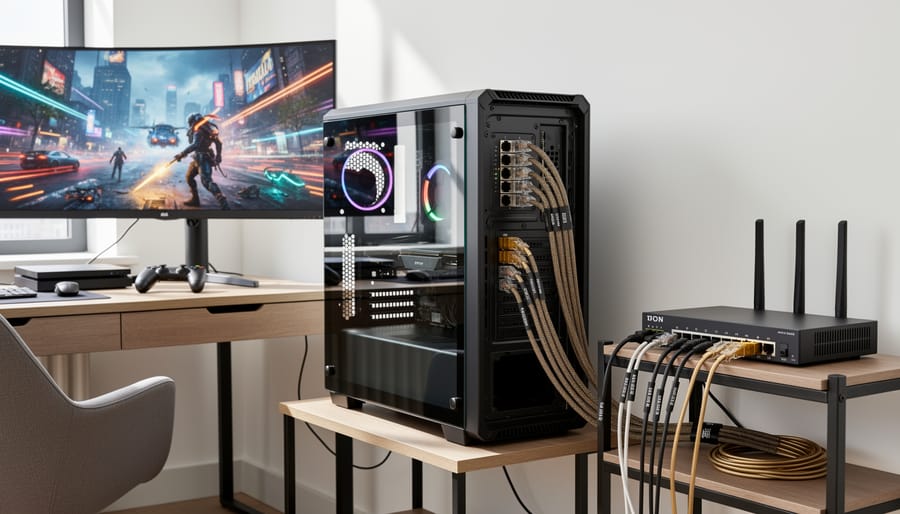
Quality ethernet cables separate themselves from budget alternatives through five critical specifications that directly affect network performance and longevity. Understanding these factors lets you distinguish genuinely superior cables from those relying on category numbers and marketing claims alone.
Conductor Material: The Foundation of Performance
The wire inside your ethernet cable determines everything. Pure copper conductors, often marked as “bare copper” or “solid copper”, deliver the electrical properties needed for high-speed data transmission. Many cheaper cables use copper-clad aluminum (CCA), where aluminum wire gets a thin copper coating. CCA cables cost less to manufacture but suffer from higher resistance, increased signal loss over distance, and compatibility problems with Power over Ethernet devices. The performance gap widens dramatically on runs longer than 15-20 feet. Authentic copper cables maintain signal integrity across the full 100-meter specification, while CCA variants often fail to meet rated speeds beyond 50 feet.
Shielding: Protection Against Interference
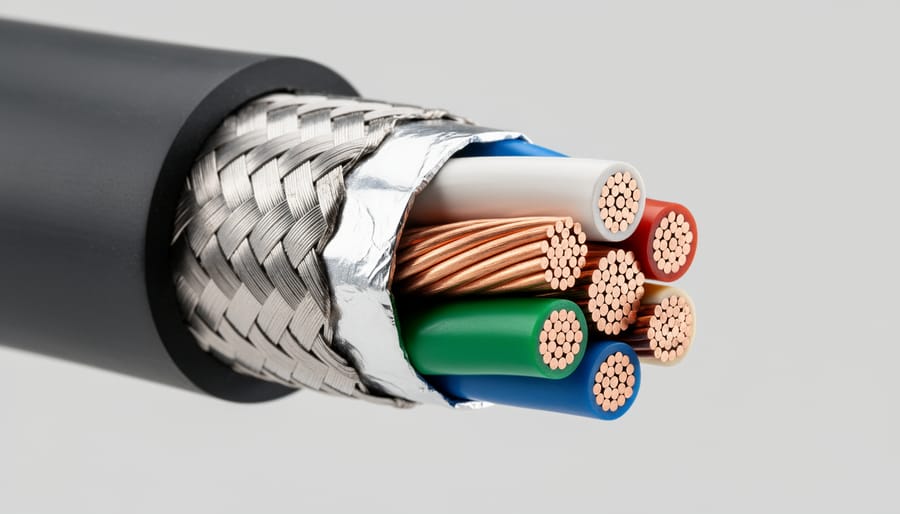
Cable shielding blocks electromagnetic interference from nearby power cables, fluorescent lights, and wireless signals. Unshielded twisted pair (UTP) cables work fine in most home environments with minimal interference sources. Shielded options become necessary near electrical panels, in conduit runs alongside power lines, or in commercial buildings with dense wireless networks.
The shielding hierarchy matters: F/UTP wraps the entire cable bundle in foil. STP adds foil around individual wire pairs. SSTP combines both approaches with foil on pairs and an overall braided shield. Each layer adds protection but also increases cable stiffness and cost. For residential installations without heavy interference, UTP suffices. Data centers, industrial settings, and runs near electrical equipment benefit from shielded variants.
Wire Gauge: Thickness Matters for Distance
American Wire Gauge (AWG) numbers run counterintuitively, lower numbers mean thicker wire. Most quality ethernet cables use 23 AWG or 24 AWG conductors. The thicker 23 AWG wire reduces electrical resistance, maintaining signal strength over longer distances and supporting higher power delivery for PoE devices. Thinner 26 AWG or 28 AWG cables work for short patch connections under 15 feet but struggle with signal integrity beyond that. For any run exceeding 25 feet or powering devices through PoE, stick with 23 or 24 AWG construction.
Connector and Termination Quality
The RJ45 connector represents the weakest point in most cable assemblies. Gold-plated contacts resist corrosion and maintain consistent connectivity through thousands of insertion cycles. Nickel-plated alternatives corrode faster and increase contact resistance over time. Quality connectors also feature proper strain relief where the cable enters the plug, this boot design prevents the critical wire-to-pin connections from flexing and breaking. Snagless boots protect the retention clip during installation through tight spaces while maintaining the same locking function.
Certification Standards and Testing
Legitimate certification marks indicate the cable passed third-party testing for its stated category. Look for ETL, UL, or TIA certification on the cable jacket or packaging. Premium manufacturers provide test results showing compliance with frequency, crosstalk, and attenuation standards. Cables tested on Fluke DSX-8000 or similar certification equipment guarantee performance across the full specification range. Avoid cables with vague “tested to” claims or category numbers without supporting certification, these often fail to meet advertised speeds in real-world installations.
Understanding Ethernet Cable Categories and Performance Tiers
Cat6a: The Sweet Spot for Most Users
Cat6a hits the performance ceiling that matters for real-world use while keeping costs reasonable. It delivers 10Gbps speeds over the full 100-meter distance, genuinely useful for multi-gigabit internet connections, 4K streaming to multiple devices, and local network transfers between computers or NAS units. The 500-550MHz bandwidth handles interference better than Cat6’s 250MHz, which translates to more stable connections in environments with multiple cables running parallel or near electrical lines.
The future-proofing advantage is tangible rather than theoretical. Most residential internet plans top out well below 10Gbps, and even enterprise switches in small offices typically max at 10G ports. Cat6a covers that ceiling with headroom to spare. Beyond raw speed, it supports PoE++ (up to 100 watts), enough to power demanding devices like PTZ security cameras, Wi-Fi 6E access points, and VoIP phones without separate power adapters, a practical benefit that Cat5e and standard Cat6 can’t match.
The cost difference from Cat6 is marginal, usually a few dollars per cable, while Cat6a eliminates the guesswork about whether your wiring will bottleneck future upgrades. For home networks and small business installations, it’s the last cable category you’ll need to buy for the foreseeable future.
Cat8: Overkill or Smart Investment?
Cat8 represents the current ceiling of twisted-pair ethernet technology, but the Cat8 specs explained reveal capabilities most networks won’t touch. With 40Gbps speeds and 2000MHz bandwidth, Cat8 genuinely benefits data centers running 25GBASE-T or 40GBASE-T equipment over short distances (maximum 30 meters). For home networks, where routers, switches, and NICs typically max out at 2.5Gbps or 10Gbps, Cat8’s headline numbers sit idle.
Do you need Cat8 comes down to equipment and timeline. If you’re connecting enterprise servers, high-end storage arrays, or planning a network that might adopt 25Gbps switches within five years, Cat8 makes sense. For gaming PCs, streaming devices, smart home hubs, or typical office workstations, Cat6a delivers identical real-world performance at lower cost.
The Future-proofing vs hype debate hinges on this: Cat8’s physical distance limitation (30m versus Cat6a’s 100m) restricts its role to specific scenarios. Unless your equipment will actually push beyond 10Gbps in the near term, spending extra for Cat8 buys specifications your network can’t use rather than practical longevity.
Cat7 Considerations
Cat7 occupies an awkward middle ground in the ethernet cable market. While technically capable of 10Gbps speeds up to 100 meters with superior shielding (typically SSTP or S/FTP), Cat7 never achieved official TIA/EIA ratification in North America, which limits its adoption in professional installations. The standard uses proprietary GG45 or TERA connectors for full specification compliance, though most consumer Cat7 cables ship with standard RJ45 connectors that can’t exploit the enhanced shielding architecture.
For home users, Cat7 rarely justifies its premium over Cat6a. Both deliver 10Gbps performance with RJ45 connections, but Cat6a enjoys universal standards compliance and wider compatibility with networking equipment. Cat7 makes sense primarily in environments with extreme electromagnetic interference where its additional shielding provides measurable noise rejection beyond Cat6a’s capabilities, or in specific international markets where the standard gained stronger footing. Otherwise, Cat6a offers better value for 10Gbps needs, while Cat8 provides a clearer upgrade path for users genuinely requiring 25Gbps or 40Gbps throughput.
Key Buying Factors for Quality Ethernet Cables
Selecting the right ethernet cable requires balancing technical specifications against your actual networking environment and requirements. This decision goes beyond simply picking the highest category number, because the perfect cable for a data center might waste money in a home office while an underspecified cable creates bottlenecks you’ll need to fix later.
Cable Length and Signal Integrity
The distance between your router and endpoint devices fundamentally shapes which cable category you need. Cat6a maintains 10Gbps speeds for the full 100-meter distance limit, while standard Cat6 drops to 1Gbps beyond 55 meters. Shorter runs under 15 feet can use nearly any quality cable without performance degradation, but longer installations demand higher specifications to preserve signal strength. Measure your required cable path before purchasing, adding 10-15% extra length for routing around obstacles and strain relief at connection points. Excessive cable coiled behind equipment creates unnecessary clutter and potential interference, so match your purchase to the actual measured distance rather than defaulting to the longest available option.
Shielding Requirements Based on Environment
Your installation environment determines whether unshielded (UTP) cables suffice or shielded variants become necessary. Home offices with minimal electrical interference handle UTP cables perfectly well, saving money without sacrificing performance. Industrial settings, areas near fluorescent lighting, spaces with multiple parallel cable runs, and installations crossing power lines require shielded cables (STP, FTP, or SSTP) to prevent electromagnetic interference from degrading your connection. Shielded cables cost 30-50% more than equivalent unshielded versions, but that premium beats troubleshooting intermittent connection drops caused by interference.
Speed Requirements for Current and Future Devices
Match your cable’s speed rating to both your current equipment and reasonable upgrade expectations over the next five to seven years. A gigabit router and devices limited to 1Gbps don’t benefit from Cat8’s 40Gbps capability today, but stepping up from Cat5e to Cat6a costs maybe two dollars more per cable while supporting 10Gbps when you eventually upgrade. Gaming systems, 4K streaming devices, and NAS units increasingly leverage multi-gigabit speeds, making Cat6a the practical minimum for new installations in 2026. Cat8 makes sense primarily for server-to-switch connections or future-proofing installations where running new cable later would require opening walls.
PoE Power Delivery Considerations
Power over Ethernet capability matters if you’re connecting security cameras, wireless access points, VoIP phones, or smart home hubs that draw power through the network cable. Cat6a and higher categories support PoE++ (IEEE 802.3bt) delivering up to 100 watts per port, while Cat5e maxes out at 30 watts with standard PoE+. Check your devices’ power requirements before selecting cable; surveillance systems with IR illuminators and PTZ cameras often need the higher wattage that only Cat6a and above can safely deliver. Lower gauge numbers (23 AWG versus 26 AWG) also improve power delivery efficiency over longer distances.
Installation Type Considerations
Patch cables and bulk cables serve different purposes and feature different constructions. Pre-terminated patch cables with molded connectors work for connecting devices to wall jacks, switches, or patch panels, anywhere you need ready-to-use connections. Bulk cable sold in 500ft or 1000ft spools suits custom installations where you’re running cable through walls, terminating your own connections, and creating exact-length runs without excess. Stranded conductors in patch cables offer flexibility for frequent movement, while solid conductors in bulk cable provide better signal performance over distance but less flex tolerance.
Before finalizing your selection, answer these critical questions:
- What network speed does your current equipment support, and what speed might you upgrade to within five years?
- How far does the cable need to run between connection points, measured along the actual installation path?
- Does your installation environment include electrical interference sources like motors, fluorescent lights, or bundled power cables?
- Will you connect PoE devices, and if so, what power wattage do they require?
- Are you connecting existing equipment (patch cables) or running new infrastructure (bulk cable)?
- What’s your realistic budget per cable or per foot for this installation?
These answers point directly to the appropriate cable category, shielding type, and conductor specifications.
Certification and Standards Verification
Genuine certification from recognized testing bodies separates quality cables from cheap imposters making false category claims. Look for cables marked with TIA/EIA compliance, ETL certification, or verification against testing standards like Fluke DSX-8000. Legitimate manufacturers print these certifications directly on the cable jacket along with category rating, conductor type, and manufacture date. Cables lacking any jacket printing or showing only generic “high speed” claims without category numbers typically use inferior materials regardless of their product page specifications. Third-party test results and customer reviews mentioning successful certification testing provide additional confidence when the manufacturer’s claims seem too good for the price point.
Common Mistakes to Avoid When Buying Ethernet Cables
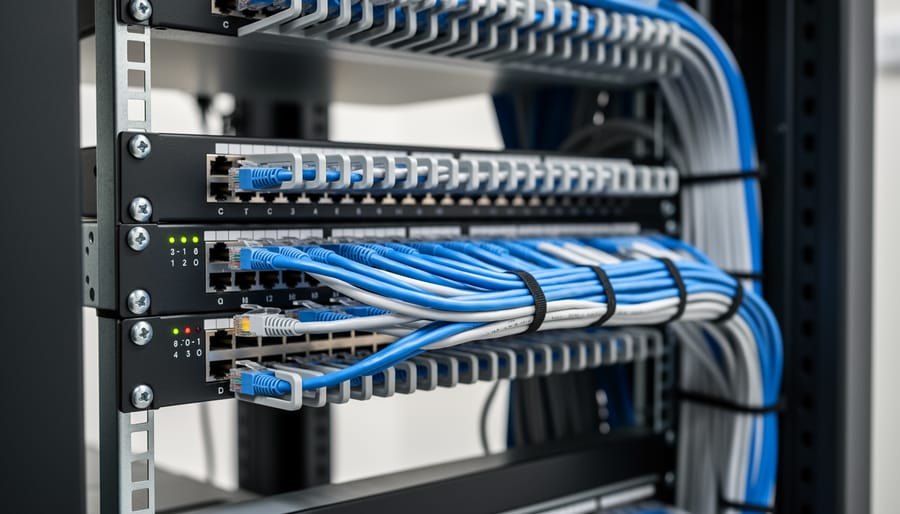
Buying decisions based on category labels alone is the first mistake most people make. A Cat6a cable from a reputable manufacturer with proper certification isn’t equivalent to a generic Cat6a cable sold under a no-name brand. The difference shows up in conductor material, shielding quality, connector construction, and actual performance under testing conditions. Two cables with identical category markings can deliver drastically different results in speed stability, interference resistance, and longevity.
Ignoring conductor material creates problems that surface over time. Copper-clad aluminium (CCA) cables cost less than pure copper alternatives, but they carry higher resistance, generate more heat during Power over Ethernet applications, and fail sooner. CCA cables also violate TIA/EIA standards for permanent installations, yet many budget options use this inferior material without clearly disclosing it. Check the cable jacket printing or product specifications for “pure copper” or “bare copper” confirmation rather than assuming all cables meet the standard.
Shielding requirements get overlooked when buyers focus solely on speed ratings. Unshielded cables work fine in residential settings with minimal electromagnetic interference, but running cable near power lines, fluorescent lighting, motors, or in commercial buildings with dense wireless networks demands shielded construction. Installing unshielded Cat6a where interference exists wastes its 10Gbps potential, while paying for shielding in a clean residential environment adds unnecessary cost.
Length miscalculations happen in both directions. Buying a 100ft cable for a 15ft run creates cable management headaches, increases signal attenuation unnecessarily, and looks messy. Conversely, cutting it too close with exact-length cables leaves no slack for repositioning equipment or routing around obstacles. Measure the actual path the cable will follow, add 10-15% for routing flexibility, then round up to the next standard length.
Speed claims require scrutiny because marketing often exaggerates what cables deliver in real conditions. A cable rated for 40Gbps means nothing if your router, switch, and network cards support only 1Gbps. Match cable capability to your actual equipment specifications and planned upgrades within the next few years, not theoretical maximum speeds. Paying premium prices for Cat8 when your network infrastructure maxes out at 2.5Gbps wastes money on performance you can’t use.
Installation type matching matters more than most buyers realize. Solid-core bulk cable works for in-wall permanent installations but breaks down quickly with repeated bending in patch applications. Stranded-core patch cables offer flexibility for desktop connections but don’t meet code requirements for structured wiring. Using the wrong construction type for your application leads to early failure or code violations during inspections.
Quality Ethernet Cable Recommendations for 2026
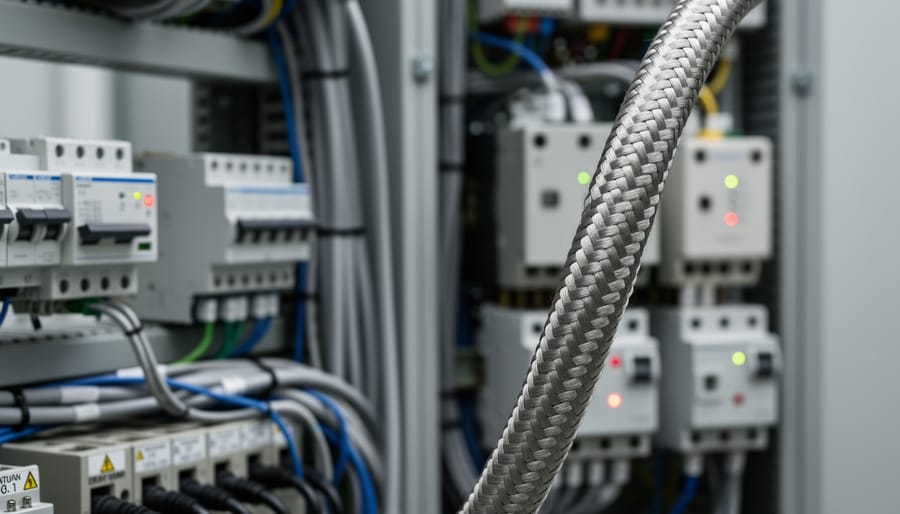
The cables recommended below represent a carefully curated selection based on rigorous evaluation of build quality, verified performance specifications, customer feedback, and real-world value. Each cable has been chosen to address specific use cases, from short patch connections in high-density rack environments to bulk installations requiring custom termination. The selection spans Cat6a, Cat7, and Cat8 categories across lengths from 5 feet to 1,000-foot bulk spools, ensuring options for every network scenario and budget level.
Selection criteria prioritized verifiable conductor material (pure copper rather than copper-clad aluminum), appropriate shielding for interference protection, certified performance ratings, quality connectors with strain relief, and documented customer satisfaction. Rather than defaulting to the highest category number, these recommendations match cable specifications to genuine performance requirements. A Cat6a cable with proper construction often delivers better value than a poorly-made Cat8, particularly for typical home and small business applications where 10Gbps performance suffices.
Cable Matters 10Gbps Snagless Shielded Cat 6A Ethernet Cable 5ft

The Cable Matters 10Gbps Snagless Shielded Cat 6A Ethernet Cable in 5ft delivers Cat6a performance in a compact form factor designed for clean installations. Its shielded construction protects against electromagnetic interference in densely packed equipment racks, server closets, or desktop environments where multiple cables run parallel. The snagless boot design prevents the locking tab from snagging on other cables during installation or removal, a practical advantage when routing cables through crowded patch panels or cable management channels.
This cable supports 10Gbps speeds and 500MHz bandwidth, meeting full Cat6a specifications despite its short length. The shielding makes it particularly suitable for environments with fluorescent lighting, power cables, or other interference sources that can degrade signal quality in unshielded alternatives. At 5ft, it works well for connecting network switches to patch panels, linking nearby servers, or establishing desktop connections between computers and wall jacks without excess cable cluttering workspaces.
The cable uses stranded copper conductors and gold-plated RJ45 connectors, construction choices that ensure reliable connectivity for both home and professional networking applications. Its 4.7 out of 5 rating from 8,196 customer ratings reflects proven field performance across diverse installation scenarios. For users prioritizing cable management in high-density setups or short runs where shielding prevents crosstalk between adjacent cables, this Cat6a option provides certified 10-gigabit capability without paying for Cat8 specifications they won’t use.
DbillionDa Cat 8 Ethernet Cable

The DbillionDa Cat 8 Ethernet Cable delivers Cat8 specification in a compact 6ft length that makes sense for high-density equipment connections. With 40Gbps capability and 2000MHz frequency, this cable brings data center-grade performance to short runs between gaming consoles and routers, desktop systems and network switches, or server-to-switch connections where every millisecond counts.
At this length, the Cat8 vs Cat6a decision hinges on whether you’re running multi-gig equipment that can actually push beyond 10Gbps. The cable supports up to 40Gbps throughput, though you’ll need compatible hardware at both ends to see those speeds. For gaming rigs with 10Gbps network cards or NAS units positioned near your switch, the overhead provides genuine future-proofing without the cable management challenges longer runs introduce.
Build quality centres on gold-plated RJ45 connectors and shielded construction that reduces crosstalk in equipment racks where multiple cables run parallel. The 6ft length keeps connections tidy in entertainment centres or under desks where excess slack creates clutter. With 4.7 out of 5 stars from 70,764 customer ratings, user experience points to reliable performance and durable connectors that survive repeated plugging during equipment changes. For premium short connections where you want maximum specification headroom, this cable positions Cat8 performance at rack-friendly dimensions.
Cable Matters 10Gbps Snagless Shielded Cat 6A Ethernet Cable 25ft
The Cable Matters 10Gbps Snagless Shielded Cat 6A Ethernet Cable in 25ft length hits the ideal distance for room-to-room connections without excess coiling. This mid-range option delivers 10Gbps performance with shielded construction that protects against electromagnetic interference from nearby power cables, fluorescent lighting, or wireless equipment, common sources of signal degradation in residential and small office environments.
The shielded design proves particularly valuable when routing cables along baseboards, through walls adjacent to electrical wiring, or across areas with multiple wireless access points. Unlike unshielded alternatives that can suffer packet loss or reduced throughput in noisy environments, the Cable Matters shielded construction maintains consistent speeds even when installed parallel to AC power lines or near Wi-Fi routers operating on overlapping channels.
At 25 feet, this cable suits connections between floors in multi-story homes, office-to-server room runs, or desktop-to-switch distances where shorter patch cables fall short but 50ft options create clutter. The snagless boot design simplifies installation through wall plates and cable management channels without catching on edges or breaking retention clips during pulls.
With a 4.7 out of 5 rating from 8,196 customer ratings, this cable demonstrates proven reliability for users requiring shielded Cat6a performance at a practical length. The combination of 10Gbps capability, interference protection, and mid-range distance makes it versatile for home offices needing stable video conferencing connections, gamers running dedicated lines from router to console, or small businesses linking workstations to network equipment across moderate spans. For those building custom cable runs and needing to choose the right crimper or consulting a comprehensive crimping tool guide pre-terminated options like this eliminate termination concerns while delivering professional-grade performance.
Cable Matters 10Gbps Snagless Shielded Cat 6A Ethernet Cable 50ft
The Cable Matters 10Gbps Snagless Shielded Cat 6A Ethernet Cable in 50ft black delivers reliable cross-floor and extended-distance networking without the premium Cat8 carries. It maintains 10Gbps throughput and 550MHz bandwidth across the full length, making it suitable for connections between floors, garage-to-house runs, or room-to-room installations where you need consistent performance over moderate distances.
Shielded construction provides meaningful interference protection in scenarios where the cable runs parallel to electrical wiring in walls or crosses through spaces with fluorescent lighting and appliances. The shielding becomes particularly valuable in 50ft runs because longer cables have more exposure to potential electromagnetic interference sources. You get cleaner signal transmission compared to unshielded alternatives in typical residential and small office environments.
The snagless boot design matters more than many buyers realize when fishing cables through walls or conduit. Standard connectors catch on obstacles and drywall edges, while the snagless design guides the cable smoothly through tight spaces without snagging or damaging the clip. This feature saves considerable frustration during installation and reduces the risk of connector damage that could compromise connection quality.
With a 4.7 out of 5 rating from 8,196 customer ratings, this cable represents solid value for 10Gbps networking over extended distances. It handles PoE applications, supports multi-gig internet connections, and provides headroom for future network upgrades without requiring Cat8 pricing or the installation challenges that come with stiffer, thicker cables.
Smolink Cat 8 Ethernet Cable

The Smolink Cat 8 Ethernet Cable delivers 40Gbps performance over a 50ft span for users who need top-tier speeds at moderate distances. With 2000MHz bandwidth, this cable maintains signal integrity well beyond today’s fastest consumer equipment, making it a genuine future-proofing choice for installations that won’t be easily updated. The RJ45 connectors support the full Cat8 specification, ensuring compatibility with 10Gbps, 25Gbps, and 40Gbps network hardware when those speeds become more common in home and office environments.
Braided construction sets this cable apart from standard PVC jacket designs at this length. The woven outer layer provides superior abrasion resistance for runs across floors, under desks, or through high-traffic areas where accidental kicks or furniture movement can damage cables. This physical durability complements the electrical performance, particularly for installations where the cable will remain in place for years without easy access for replacement.
Cat8 offers measurable advantages over Cat6a at 50ft primarily in environments with substantial electromagnetic interference. Server rooms, industrial settings, or home offices near heavy machinery benefit from Cat8’s superior shielding and frequency rating. For clean residential environments with typical electronic interference, Cat6a provides the same real-world throughput at this length for current applications, though Cat8’s higher specification offers more margin against future network demands.
With a 4.7 out of 5 rating from 30,375 customer ratings, this cable demonstrates consistent quality across a large user base. That satisfaction level reflects both the tangible build quality and the reliability of maintaining rated speeds over the full 50ft length.
Orbram Cat 8 Ethernet Cable 50FT

The Orbram Cat 8 Ethernet Cable 50FT pairs Cat8’s 40Gbps, 2000MHz performance with a braided outer jacket engineered for physical abuse. Where round PVC cables fare poorly under foot traffic or near pets, this braided construction resists scratches, chewing, and repeated flexing without degrading the internal conductors. The weave adds minimal bulk but meaningfully extends lifespan in exposed runs across doorways, along baseboards, or behind entertainment centers where cables face constant contact.
At 50 feet, this cable maintains full Cat8 specification across typical room-to-room distances, delivering 40Gbps capability for users who need headroom beyond 10Gbps or plan to keep the installation intact through multiple equipment generations. The 2000MHz frequency rating supports the highest current networking standards with margin for interference and crosstalk in environments with dense WiFi, Bluetooth, and electrical noise.
The braiding proves particularly valuable in homes with pets prone to cable damage or in commercial spaces where cables run exposed rather than through conduit. Unlike thinner jackets that split under sharp claws or teeth, the braided exterior redirects pressure across its weave pattern. With a 4.7 out of 5 rating from 28,571 customer ratings, users report reliable performance and notable durability advantages over standard PVC-jacketed alternatives.
For $9.99, this cable positions itself as a premium option where the environment justifies braided protection and Cat8 specification provides genuine utility, not just spec-sheet appeal.
Cat 7 Ethernet Cable 50FT

The Cat 7 Ethernet Cable 50FT occupies an interesting position in the quality cable landscape, offering SFTP shielding and 10Gbps performance at a length where cable selection genuinely matters. With a 4.7 out of 5 rating from 69 customer ratings, this cable attracts users who need robust shielding without stepping up to Cat8 pricing.
Cat7’s SFTP (Screened Foiled Twisted Pair) construction provides four individually foiled pairs plus an overall braided shield. This dual-layer approach delivers superior electromagnetic interference protection compared to Cat6a’s typical F/UTP design, making it valuable in electrically noisy environments near fluorescent lighting, motors, or dense cable bundles. The tradeoff is the 6.0mm outer diameter, noticeably thicker than standard Cat6a cables, which affects routing flexibility in crowded conduits or tight spaces behind furniture.
At 50 feet, this cable handles room-to-room connections while maintaining 10Gbps speeds reliably. The length sits in the zone where shielding benefits become more apparent, shorter runs rarely encounter enough interference to justify SFTP’s added bulk, while runs approaching 100 meters push Cat7’s practical limits despite theoretical capability.
This specification makes sense for users running cables through walls with AC wiring, across rooms with multiple electronics, or in home theaters where video equipment creates RF noise. The enhanced shielding protects signal integrity without requiring Cat8’s 40Gbps headroom that most networks can’t utilize. For clean environments with straightforward routing, Cat6a delivers equivalent 10Gbps performance in a slimmer package. The Cat7 option shines when interference is a known concern but your network infrastructure tops out at 10Gbps anyway.
Cat 6a Ethernet Cable 1000ft Bulk,23AWG Cat6a Cable Passed DSX-8000

For custom installations spanning multiple rooms or an entire building, this 1000-foot bulk spool delivers verified Cat6a performance at a fraction of the per-foot cost of pre-terminated patch cables. The 23AWG solid copper conductors provide lower resistance than the 24AWG or 26AWG found in many pre-made cables, which translates to better signal quality over runs approaching the 100-meter distance limit and more reliable power delivery for PoE++ devices like wireless access points and IP cameras.
The DSX-8000 certification carries real weight. This Fluke test platform is the industry standard for verifying installed cabling meets TIA/EIA specifications, and passing its suite of tests, including return loss, insertion loss, crosstalk, and delay skew across the full 500MHz bandwidth, confirms the cable will support 10Gbps speeds in deployed environments, not just lab conditions. Installers can document compliance for warranty coverage and building certifications.
Bulk cable delivers dramatic cost savings for whole-home or office projects. Where an 1000 feet of pre-terminated cables might cost $300 to $400, a single bulk spool typically runs under $200, covering the same distance with change left for connectors, boots, and a crimping tool. You’ll need to terminate both ends with RJ45 plugs, which demands basic crimping skills and a cable tester to verify each connection, but the effort pays off when running twenty or thirty drops throughout a space.
The 23AWG conductor gauge also matters for installations with long runs or PoE requirements. The thicker conductors reduce voltage drop, maintaining power stability for devices at distance and ensuring reliable 10-gigabit performance on runs that would stress thinner cables.
Matching Cable Quality to Your Network Use Case
Different network applications place distinct demands on ethernet cables. Matching cable specifications to your actual use case prevents both overspending on unnecessary performance and underbuying cables that create bottlenecks.
Gaming Setups: Latency Over Raw Speed
Competitive gamers prioritize consistent low latency more than theoretical maximum bandwidth. Cat6a cables deliver the stability you need without the premium cost of Cat8. The key quality factor here is shielding, STP or F/UTP construction reduces electromagnetic interference that can cause packet drops and latency spikes during gameplay. For most gaming scenarios, a quality shielded Cat6a cable between your console or PC and router provides single-digit millisecond latency with zero packet loss. Cat8 won’t reduce ping times further unless you’re running a 10Gbps or faster local network for game streaming or file transfers between systems.
Home Office and Remote Work: Reliability for Video Conferencing
Video calls and cloud application access require consistent, bidirectional bandwidth rather than burst speed. Cat6a handles this perfectly, supporting simultaneous 4K video calls, VPN connections, and large file uploads without degradation. Shielded cables matter if your workspace sits near power lines, fluorescent lights, or wireless access points that can introduce interference during critical meetings. A 25-50ft shielded Cat6a run from your office to the router eliminates the dropped frames and frozen screens that plague Wi-Fi connections during back-to-back calls.
Media Streaming and Smart Home Devices: Bandwidth Density
Homes with multiple 4K streaming devices, security cameras, smart speakers, and IoT gadgets benefit from Cat6a’s 10Gbps capacity and superior crosstalk resistance. When you’re running multiple cables through the same conduit or wall cavity to support a mesh network backbone, gaming room, and home theater, Cat6a’s 500MHz frequency rating prevents signal bleed between adjacent cables. This matters more than jumping to Cat8 when you have ten devices pulling data simultaneously.
NAS and Server Connections: Sustained Throughput
Network-attached storage and home servers transferring large media libraries or backup files need cables that maintain rated speeds during extended operations. Pure copper conductors (not CCA) are non-negotiable here, copper’s lower resistance prevents signal degradation and heat buildup during sustained multi-gigabyte transfers. Cat6a handles 10Gbps NAS connections reliably, while Cat8 becomes relevant only if you’re running 25Gbps or 40Gbps network cards for enterprise-grade storage performance.
PoE Devices: Power Delivery Ratings
Security cameras, wireless access points, and VoIP phones drawing power over ethernet need cables rated for PoE++. Cat6a cables with 23AWG conductors support up to 100W power delivery while maintaining data integrity, whereas thinner 26AWG or 28AWG patch cables may overheat or voltage drop with high-wattage PoE devices. Check the cable’s PoE rating explicitly rather than assuming category alone determines power capability.
Main Options Compared
When shopping for quality ethernet cables, most buyers face three fundamental choices that significantly impact performance and value.
Cat6a versus Cat8 represents the primary decision point for modern networks. Cat6a delivers 10Gbps speeds at 500-550MHz over 100 meters, handling virtually all residential and small business needs while remaining cost-effective. Cat8 pushes to 40Gbps and 2000MHz but imposes a 30-meter distance limit and carries a substantial price premium. For runs under 25 feet where maximum future-proofing matters, server connections, high-end gaming rigs, professional workstations, Cat8’s overhead may prove worthwhile. Beyond 50 feet, Cat6a becomes the practical choice since Cat8’s distance restriction eliminates its speed advantage.
Shielded versus unshielded construction defines the second major split. Unshielded twisted pair (UTP) suffices for typical home environments with minimal electromagnetic interference. Shielded options (F/UTP, S/FTP, SSTP) matter when cables run near electrical wiring, fluorescent lighting, or industrial equipment, or in dense installations where crosstalk between adjacent cables degrades performance.
Patch cables versus bulk spools separates ready-to-use convenience from custom installation projects. Pre-terminated patch cables offer plug-and-play simplicity for standard lengths. Bulk 1000-foot spools provide cost savings for whole-home wiring but require termination tools, testing equipment, and installation expertise.
Frequently Asked Questions About Quality Ethernet Cables
Can Speed Tests Show the Difference Between Cable Categories?
For most home internet connections, speed tests won’t reveal differences between quality Cat6, Cat6a, or Cat8 cables because your internet service provider’s bandwidth is the limiting factor. If your internet plan provides 500 Mbps, any properly functioning Cat5e or higher cable will deliver that full speed. The performance advantages of higher categories become measurable in local network transfers, copying files between computers, streaming from a NAS, or transferring large video projects, where you’re moving data within your home network at speeds exceeding 1 Gbps.
How to Verify Your Cable Uses Genuine Copper Conductors
Genuine copper cables typically include “pure copper” or “100% copper” markings on the cable jacket itself, while copper-clad aluminum (CCA) cables often avoid mentioning conductor material entirely. The jacket printing should also display compliance certifications like “ETL Verified” or “UL Listed.” Physical inspection helps too: copper cables feel noticeably heavier than CCA equivalents of the same length, and the conductors themselves appear reddish-brown when exposed, whereas CCA shows a silver-gray aluminum core beneath a thin copper coating. When ordering, scrutinize product descriptions carefully, reputable manufacturers explicitly state pure copper construction, while vague or absent material specifications suggest CCA.
Does Cable Quality Impact Gaming Latency?
Quality ethernet cables affect gaming performance primarily through connection stability rather than raw latency reduction. A well-constructed cable with proper shielding and solid connectors maintains consistent packet delivery, eliminating the micro-disconnections and jitter that cause lag spikes during competitive play. The latency difference between a quality Cat6a cable and a premium Cat8 cable measures in microseconds, imperceptible to humans, but the difference between a quality cable and a poorly made one with intermittent connectivity shows up as stuttering and rubber-banding. Gaming performance benefits more from reliable construction and adequate shielding than from higher category numbers.
When does my network actually need shielded cables?
Shielding becomes necessary when cables run parallel to electrical wiring for extended distances, pass through areas with fluorescent lighting or heavy machinery, or connect PoE devices in industrial settings where electromagnetic interference is present. Most home installations with short runs and typical electronics work fine with unshielded cables.
How long should quality ethernet cables last?
Quality cables with pure copper conductors and proper strain relief typically last 10-15 years or longer in fixed installations. Patch cables that get frequently plugged and unplugged may wear out sooner, particularly the locking tabs on connectors, but well-made cables with snagless boots can handle hundreds of connection cycles before showing degradation.
Are flat ethernet cables as reliable as round cables?
Flat cables sacrifice some performance for convenience, offering easier routing under carpets and along baseboards but providing less protection against crosstalk and interference. They work adequately for basic internet connections under 1 Gbps but aren’t ideal for 10 Gbps applications or environments with potential electromagnetic interference where round cables with proper pair twisting perform better.
Understanding these practical considerations helps you focus on the cable characteristics that actually matter for your specific situation. Performance isn’t just about choosing the highest category number, it’s about matching construction quality, shielding requirements, and conductor materials to your installation environment and usage patterns. A well-chosen Cat6a cable often delivers better real-world results than a poorly made Cat8 cable claiming superior specs.
Choosing quality ethernet cables doesn’t require buying the most expensive or highest-spec option, it requires matching the right cable to your actual needs. A Cat6a cable with verified pure copper conductors and proper shielding will outperform a bargain Cat8 cable made from copper-clad aluminum, regardless of the category number printed on the jacket. Focus on what matters: conductor material, build quality, appropriate shielding for your environment, and certification that confirms the cable meets its claimed specifications.
The recommendations in this guide span different categories and price points because different users have different requirements. A gamer running a 6-foot connection between their PC and router doesn’t need the same cable as someone wiring an entire home office. Length, installation environment, current network speeds, and future-proofing goals all influence which cable delivers the best value.
Before you buy, verify the conductor material, check for relevant certifications, and choose a category that aligns with your network’s capabilities and your upgrade timeline. Skip cables that make unrealistic claims or lack basic construction details. Quality cables aren’t always the most expensive ones, they’re the ones built right for the job they’ll do.
I use affiliate links on some of the products I cover, if you buy through them, I earn a small commission. As an Amazon Associate I earn from qualifying purchases.